
Email File Attachments are currently in a closed beta. Contact your account manager if interested.

The File Attachments feature in ZMP allows you to include files directly with your email campaigns, enabling a more personalized and streamlined customer experience. When activated, attachments are automatically pulled from an external source and sent alongside your emails—ensuring your audience receives the right content at the right time.
You can configure attachments for both triggered and broadcast campaigns. Before delivery, all attachments are validated for file type and size to maintain reliability and ensure smooth sending.
Currently, the feature supports PDF, JPEG, and PNG file formats, with a limit of one file per email, up to 3MB in size. Attachments are added via API calls to an FTP file directory, and while filenames are logged in campaign records, the files themselves are not stored in the platform.
With File Attachments, you can easily send essential documents, such as receipts, contracts, reports, or personalized files, directly within your campaigns, helping you deliver a more complete and efficient communication experience.
Setting up a Connection
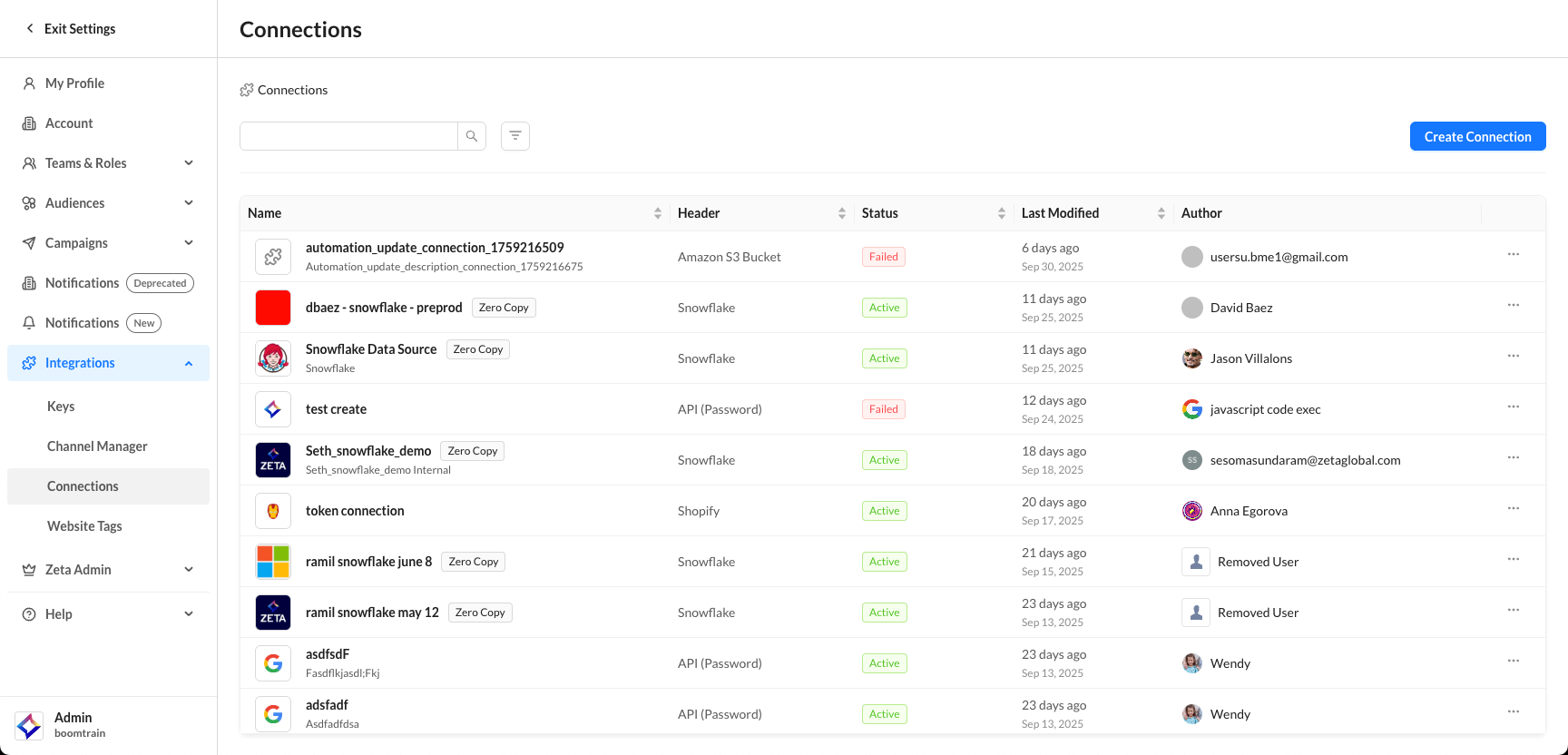
1. Navigate to Settings > Integrations > Connections. Click on Create Connection.
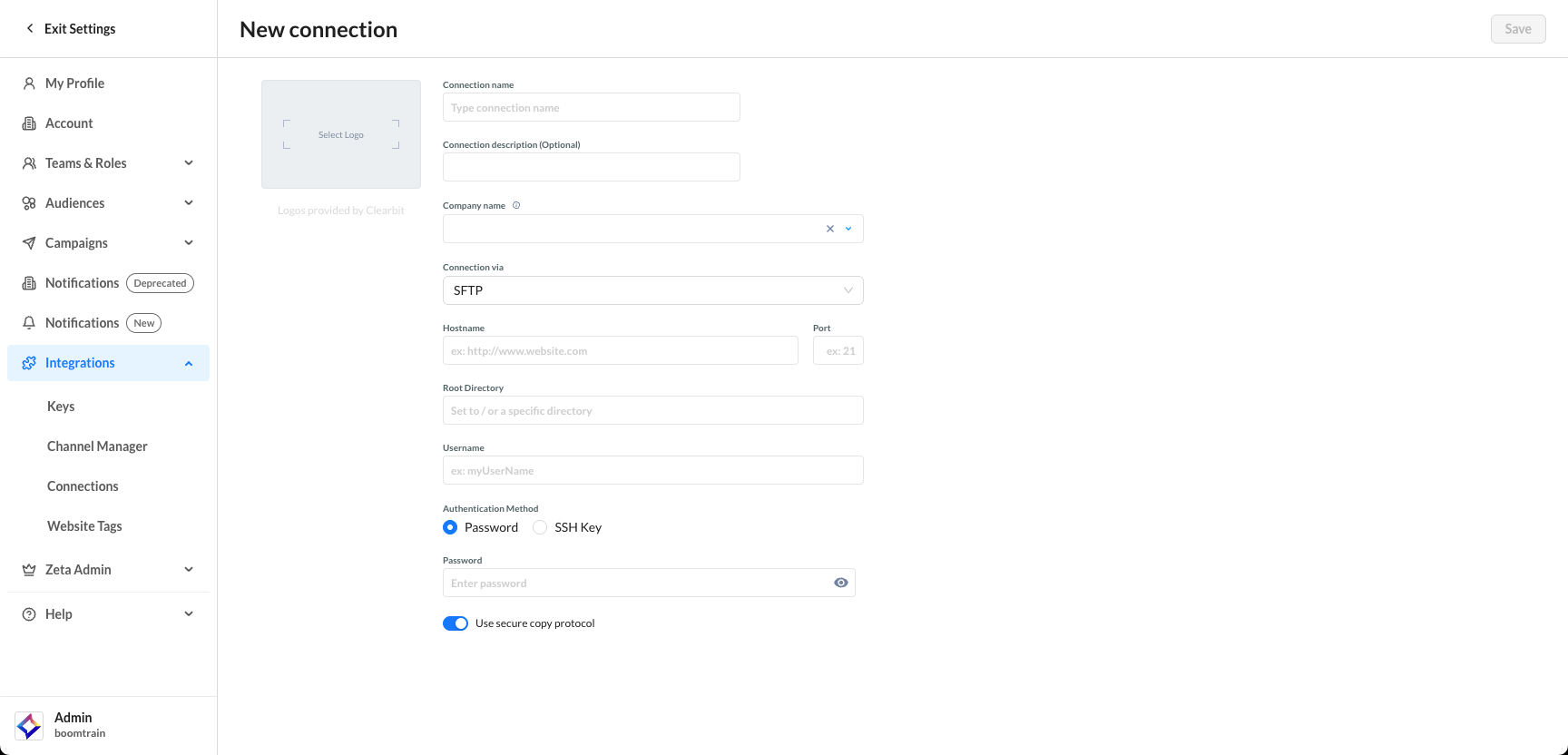
2. Create an SFTP connection to the file directory where the files to be sent are stored.
Configuring a Campaign
1. Create or edit a campaign in either the Broadcast Campaign or Triggered Campaign section.
-20251006-055128.gif?cb=d6ee4904d3b26d4147201c4974cac0d6)
2. Enable the file attachments toggle in the bottom section of the Content & Audience tab.
-20251006-055450.gif?cb=e63987860edf79e9770a7dd0d745427a)
Allowed file types are PDF, JPEG, JPG, and PNG.
3. Click on the Browse input field and select the file directory in the previously configured data connection.
4. Under File Names, enter the file name or liquid script for the file name.
Attachments are retrieved automatically from the configured source and included in the outgoing campaign email. If a file exceeds the size limit or is not in a supported format, it will not be delivered.