

Apps isn’t available to everyone yet, so if you can’t see it, you’re not the only one. Please reach out to Support or your account team to learn more about availability and access.
Applications is your dedicated space in ZMP to discover, open, and work with the apps your team relies on, whether you are steering the program or day‑to‑day in the tools. Applications bring those experiences together in one place so marketers and admins can move from the core ZMP platform into specialized workspaces without losing context or starting from scratch elsewhere.
Within ZMP, navigate to Applications from the menu on the left.
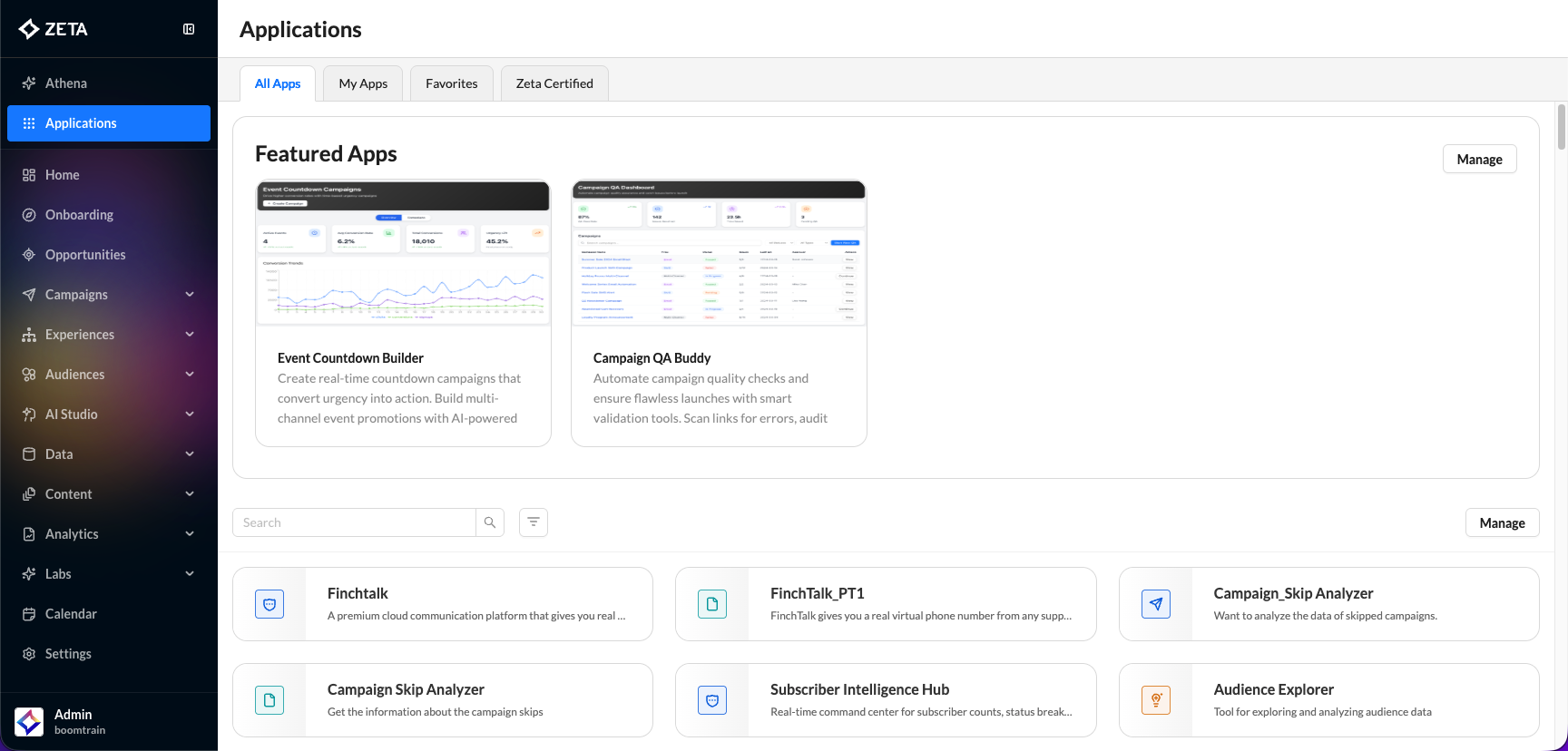
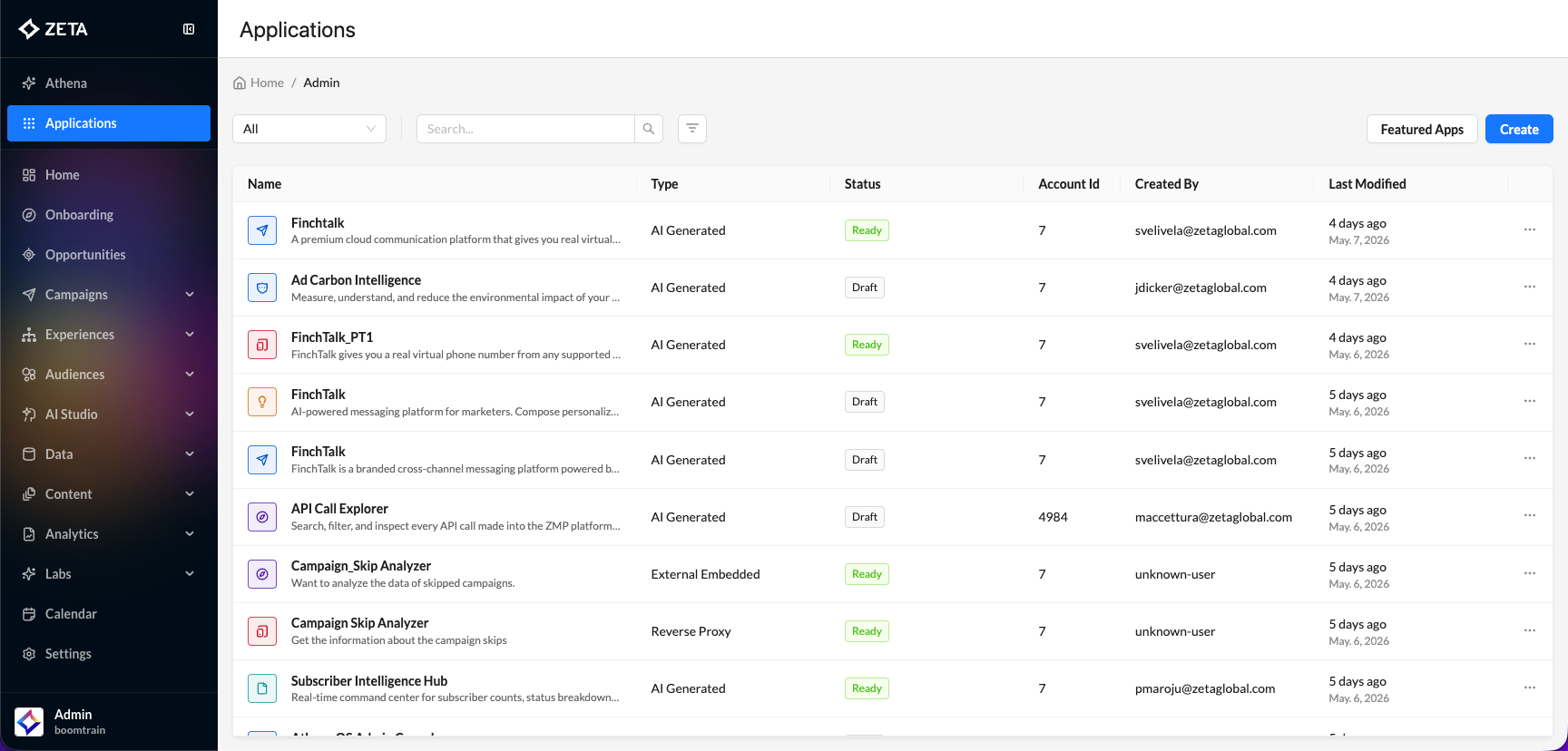
Key Features
-
Codeless App Creation: You can build, manage, and deploy apps without coding, using a conversational AI interface.
-
Role-Based Access: Apps are provisioned and distributed based on user roles (App User, App Moderator, Admin), ensuring appropriate permissions and oversight.
-
Agent Support: Each app ships with an AI agent that provides contextual guidance, recommendations, and onboarding.
-
Integration with Zeta Platform: Apps connect to Zeta’s APIs, identity graph, and data sources, ensuring seamless access to campaigns, segments, and analytics.
-
App Builder: Admins and moderators can use generative AI prompts to create new apps, iterate on features, and generate mockups and solution designs.
-
Workspace Management: You can operate multiple apps side-by-side in a workspace, improving productivity and workflow efficiency.
-
App Moderation & Approval: Newly created apps go through a moderation process for review, code inspection, and approval before distribution.
-
Security & Compliance: Each app inherits Zeta’s security posture, including privacy reviews and compliance documentation.
-
Beta & Customization: Early-stage apps can be refined with feedback from pilot customers, and custom use cases can be submitted for consideration.
User Roles
|
App User |
Uses provisioned apps, operates within the assigned workspace, and cannot create or modify apps. |
|---|---|
|
App Moderator/Admin |
Creates, reviews, and approves apps; can access code and advanced features; manages app distribution. |
|
Customer Admin |
Oversees app usage, monitors adoption, and manages provisioning for their organization. |
How to Create an App
1. Log in as an Admin or Moderator.
2. Click Create and choose your desired path.
-20260511-094656.gif?cb=9cd6d48a05fbf17c7f8f040e7c5dd37c)
Let’s take a look at each of the methods you can use to create an app within ZMP:
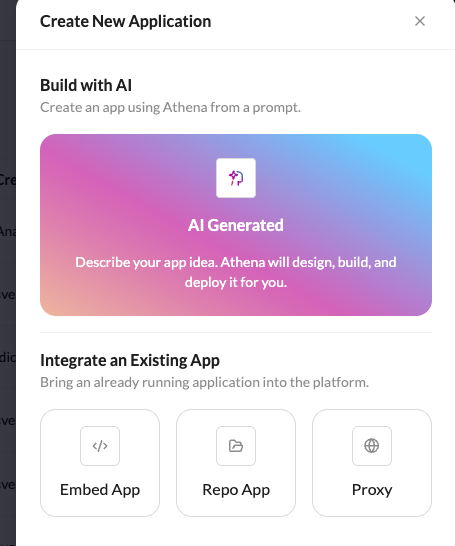
Agentic Apps
Agentic Apps are purpose-built, codeless applications on the Zeta platform, designed to streamline workflows and deliver outcomes for enterprise users. They leverage AI-powered microservices and integrate deeply with Zeta’s data, security, and governance frameworks.
How to Create an Agentic App
1. Log in as an Admin or Moderator.
2. Click Create and use the conversational AI prompt to specify requirements.
-20260511-103811.gif)
3. Review generated mockups and solution designs; iterate as needed.
4. Submit the app for moderation and approval.
5. Once approved, assign the app to relevant user roles for distribution.
Using Agentic Apps
-
Launch apps from your workspace.
-
Access contextual guidance from the embedded agent.
-
Operate multiple apps side-by-side for enhanced productivity.
-
Receive automated onboarding and support from the agent.
-
All apps are built on Zeta’s secure platform, leveraging existing APIs and data sources.
-
Compliance and privacy reviews are generated automatically for each app.