
Content Optimization | Portable Assets & Visual Composer Snippets
|
|---|
|
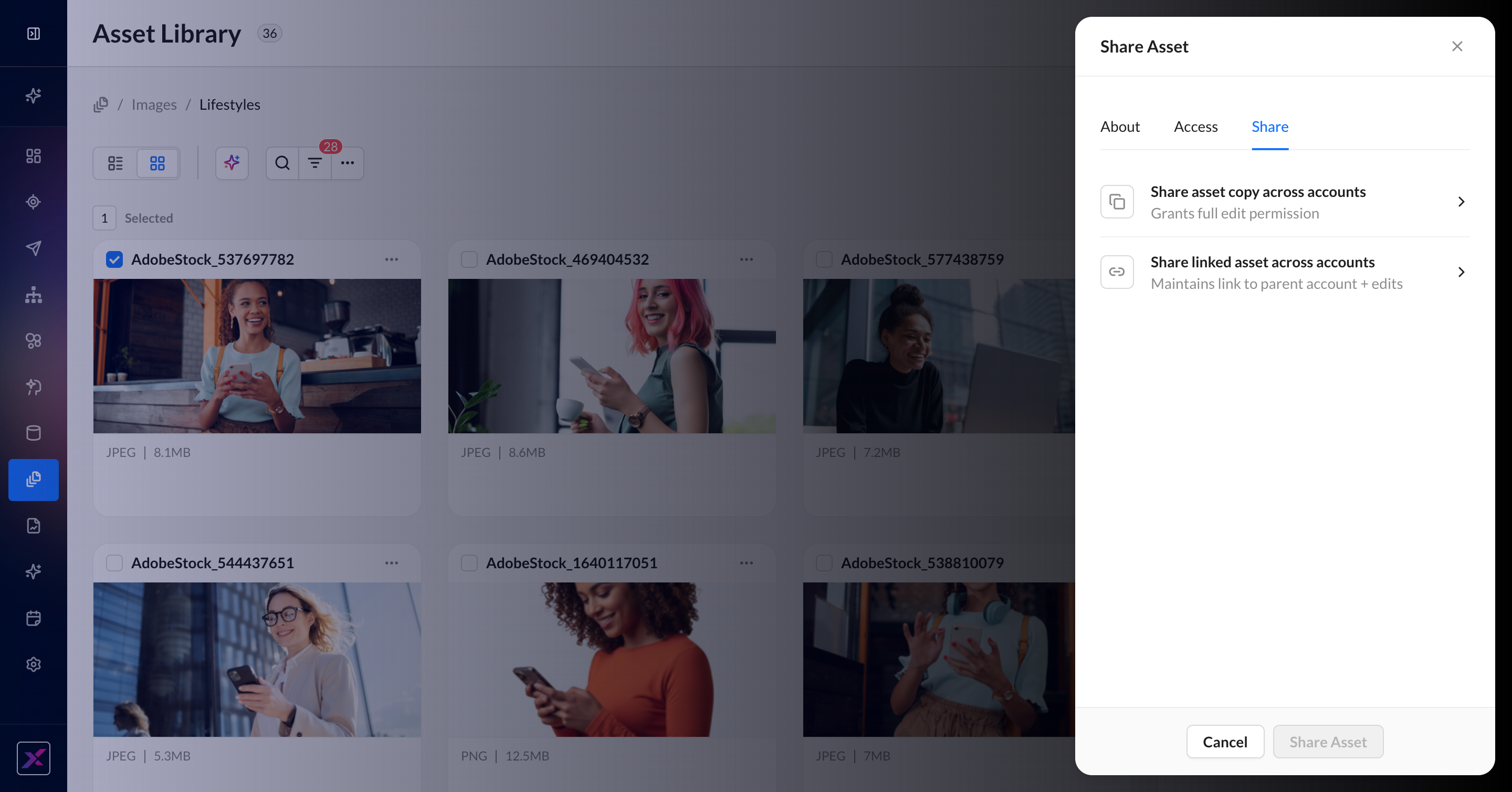
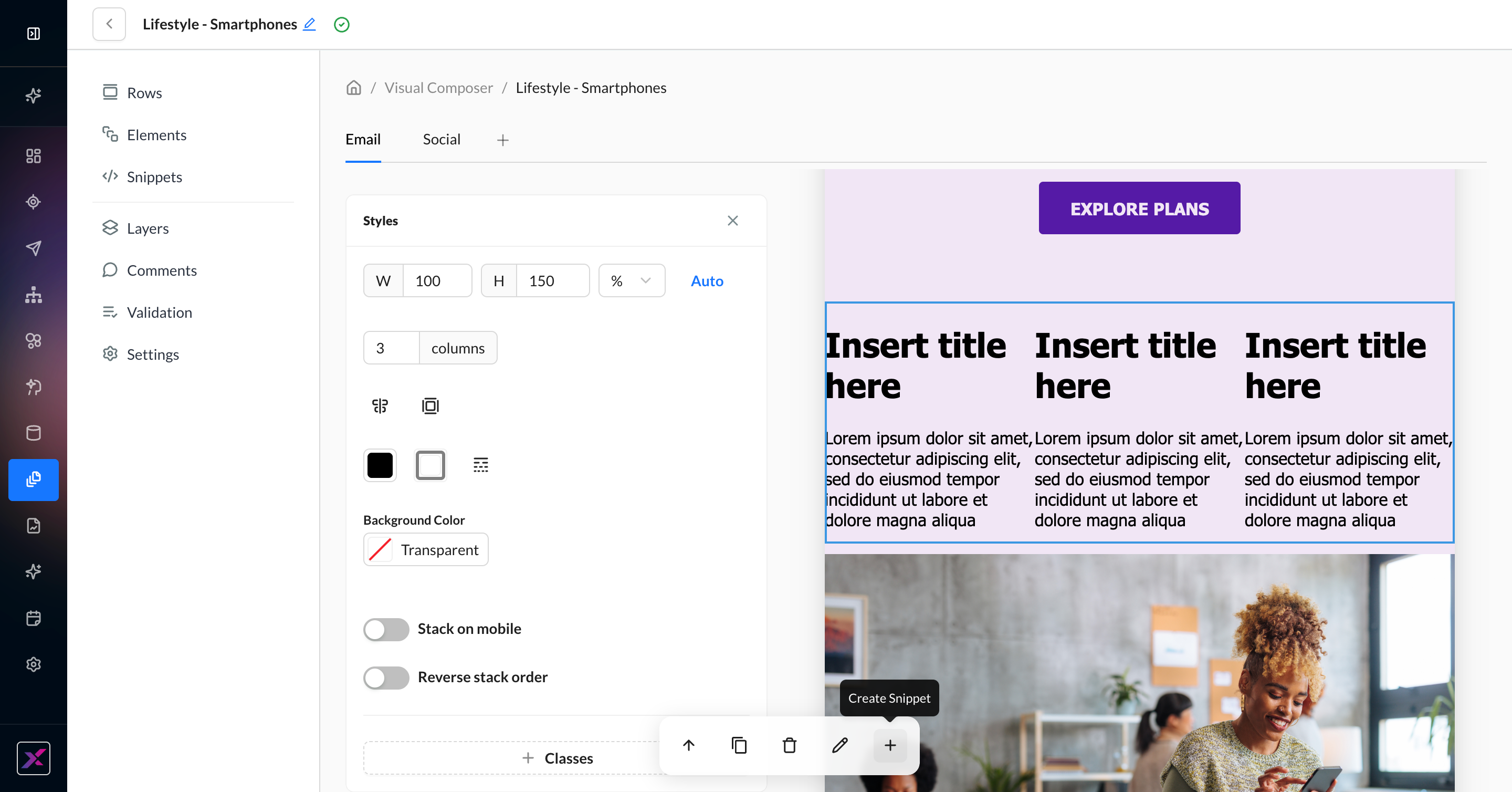
Reuse Content Faster with Portable Assets and Visual Composer Snippets We’re introducing two new capabilities designed to help marketers reduce repetitive work, streamline content reuse, and maintain brand consistency at scale. Portable Assets let you share assets from the Asset Library across accounts — either as copies for local editing or as linked assets that stay synced to a single source. Teams can now manage images, logos, and approved creative centrally while reducing duplicate uploads and manual updates. Visual Composer Snippets now allow you to create and edit reusable content blocks directly in Visual Composer. With support for multi-row layouts, marketers can build more flexible reusable sections like headers, promo banners, product grids, and footers — then drop them into any template in a single click. Inline snippet previews also make it easier to see how merge-tagged content will render directly in the canvas. What this means for marketers:
|
|
Learn More: |
|
|
Product Module: content_optimization |
Data Flows | Occurrence History
|
|---|
|
Navigate Data Flows Faster with Improved Occurrence History We’ve updated the Occurrence History page for Data Flows to make it easier to understand performance, troubleshoot issues, and navigate runs with confidence. The refreshed design separates each run into a clearer, more structured view, so you can quickly find what you’re looking for. Improved status visibility also makes it easier to spot successes, failures, and skips at a glance. Behind the scenes, performance optimizations ensure faster load times and a more reliable experience when working with large data sets. What this means for marketers:
These enhancements help teams monitor data flows more efficiently and keep campaigns running smoothly. |
|
Learn More: Data Flows | Occurrence History |
|
Product Module: data_flows |
Identity Unification | Stored & Streaming Events
|
|---|
|
Events Tab Updates: See Every Moment of the Customer Journey—Past and Present Understanding the customer journey is foundational to delivering relevant, timely marketing. With updates to the Events tab (formerly the Journey tab) within the ZMP’s customer profile view, marketers can now quickly analyze past behavior and monitor customer activity in real time, all in one place. What’s New:
These updates give marketers greater confidence and control and provide a more complete understanding of customer behavior across the entire journey, both historically and in the moment. |
|
Learn More: |
|
Product Module: Identity_Unification |
Data Manager | Amazon Redshift Connector
|
|---|
|
Bring Amazon Redshift Into Data Flows as a Native Warehouse Source Many teams keep large volumes of structured customer and campaign data in Amazon Redshift. ZMP now treats Redshift like other warehouse sources you already know—connect it once under Settings, then use it inside Data Flows to pull warehouse data into your pipelines. You can author SQL against Redshift the same way you do for comparable warehouse sources, so data sitting in Redshift can flow through transformation steps and onward to activation—without one-off custom connectors or manual workarounds. That makes it easier to reuse the warehouse as the system of record while still running segmentation, orchestration, and downstream channels from ZMP. What this means for marketers:
Together, these capabilities help teams move faster from warehouse data to live programs, keep audiences aligned with what is stored in Redshift, and get more value from existing AWS investments. |
|
Learn More: Redshift |
|
Product Module: data_manager |
Experience Builder | Filters & Version Management
|
|---|
|
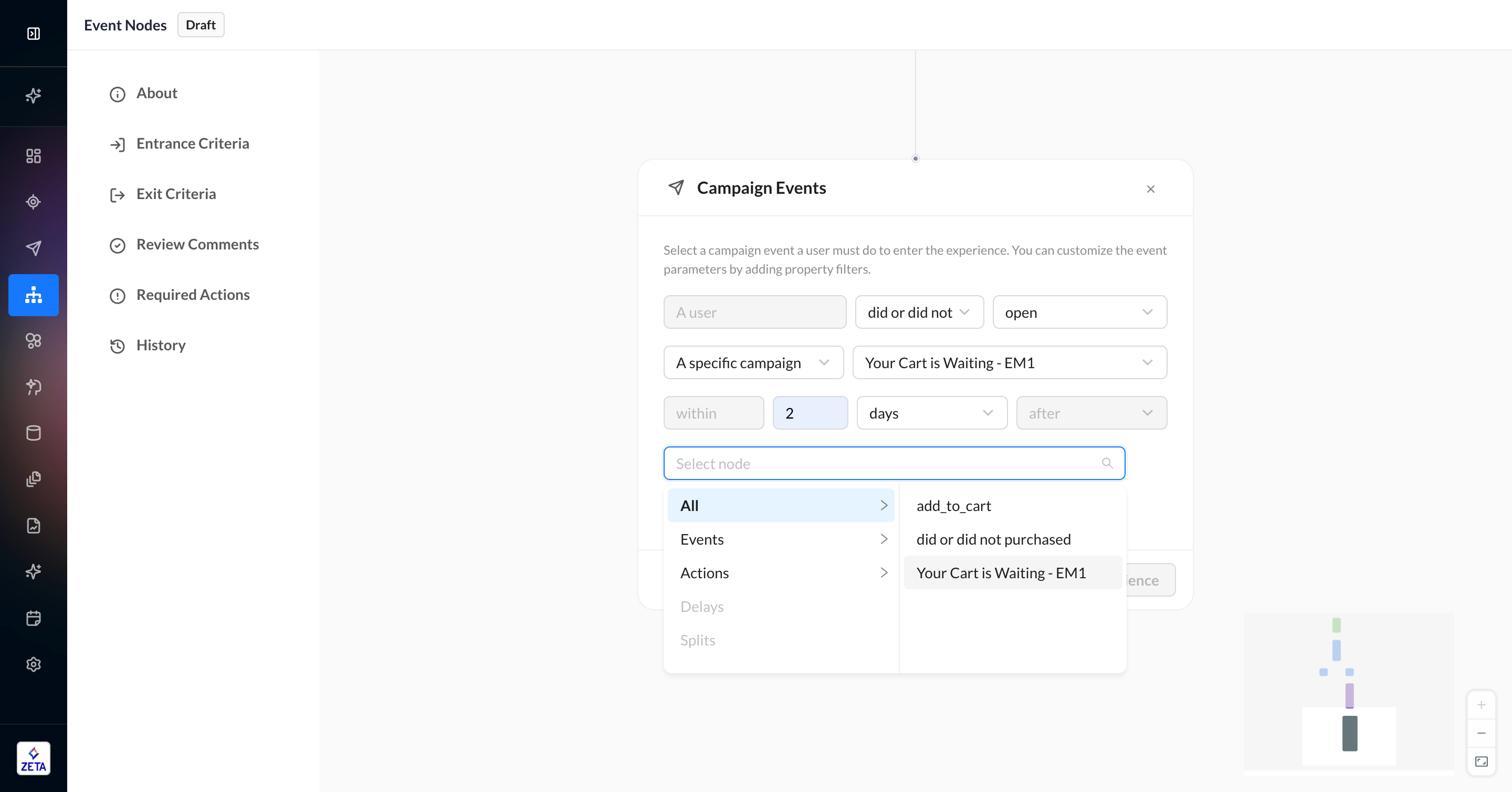
Build Smarter Experiences with More Flexible Filters and Streamlined Version Management Experience Builder now gives marketers more flexibility when designing journeys and managing experience versions, so you can launch faster with less manual work. You can now create time-based conditions using any upstream node in your journey, making it easier to build re-engagement flows like “if no click within 24 hours, send a follow-up” without extra workaround logic or event nodes. We’ve also streamlined version management and cross-account sharing. Entrance criteria, campaign settings, and tokens now carry forward automatically when creating new versions or sharing experiences across accounts, reducing setup time and minimizing activation errors. Entrance and exit criteria are also fully visible in the UI, giving teams more confidence when reviewing and merging experiences. What this means for marketers:
|
|
Learn More: Event Node | Time-Based Filter |
|
|
Product Module: experience_builder |
Insights Studio | Conditional Formatting
|
|---|
|
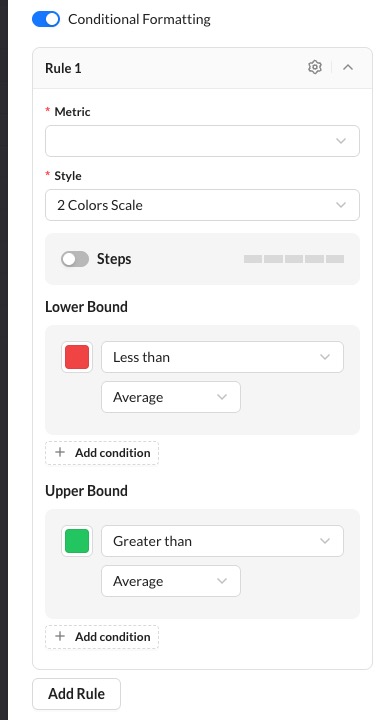
Conditional Formatting Now Available in Insights Studio Reports & Dashboards Insights Studio now supports conditional formatting across your Reports and Dashboards, giving you powerful new ways to visualize what matters most. Define custom rules with color scales and thresholds on any metric — across tables, bar charts, column charts, line/area charts, multi-series charts, and maps — to instantly highlight outliers, performance bands, and key trends. When you add a formatted Report widget to a Dashboard, your formatting rules carry over automatically, so there's no need to rebuild them. And if you adjust formatting on the Dashboard, those changes stay local to that view — your original Report remains untouched. Start using conditional formatting today to make your data tell a clearer, more actionable story. |
|
Learn More: Charts & Visualizations | Conditional Formatting |
|
|
Product Module: insights_studio |
Data Manager | Consent Management
|
|---|
|
Smarter Mobile Consent Management for Better Deliverability and Customer Trust We’re introducing enhanced mobile consent management to help marketers deliver more relevant messaging while improving compliance, deliverability, and subscriber experiences across senders. With new contact- and sender-level consent controls, marketers can manage messaging eligibility with greater precision—making it easier to honor subscriber preferences, reduce unnecessary suppression, and maintain healthier mobile audiences. This update enables:
Because this introduces more advanced consent logic, the feature will be released behind a flag to support phased adoption and implementation flexibility. Please contact your Zeta Account Manager to enable this feature for your account. |
|
Product Module: data_manager |