
The Shopify inbound connector authenticates your Shopify store in ZMP so customer, product, and event data can stream in for targeting and personalization.
Use this page to create the Shopify connection in Settings > Integrations > Connections. After the connection is saved, follow the Shopify Inbound Workflow to ingest people, products, and events, set up real-time streaming, and activate the data in audiences and personalized content.
To create or update Shopify customers from a campaign, use Channel Manager. See the Shopify outbound workflow.
Prerequisites
-
Create a Shopify access token to provide in ZMP. The inbound connector needs read permissions only. Create the token with only the access required.
-
Confirm that the added data volume is within your account limits. Shopify event volume is typically much lower than site traffic sent through personalization tags.
Shopify customer API reference: Shopify API Reference - Customer
Create the Shopify connection
1. Go to Settings > Integrations > Connections. Click on Create Connection.
.png?cb=df168e1849363dc7638b70916354c55d)
2. On the Select Connection Type page, click on the Shopify tile. Click on Next.
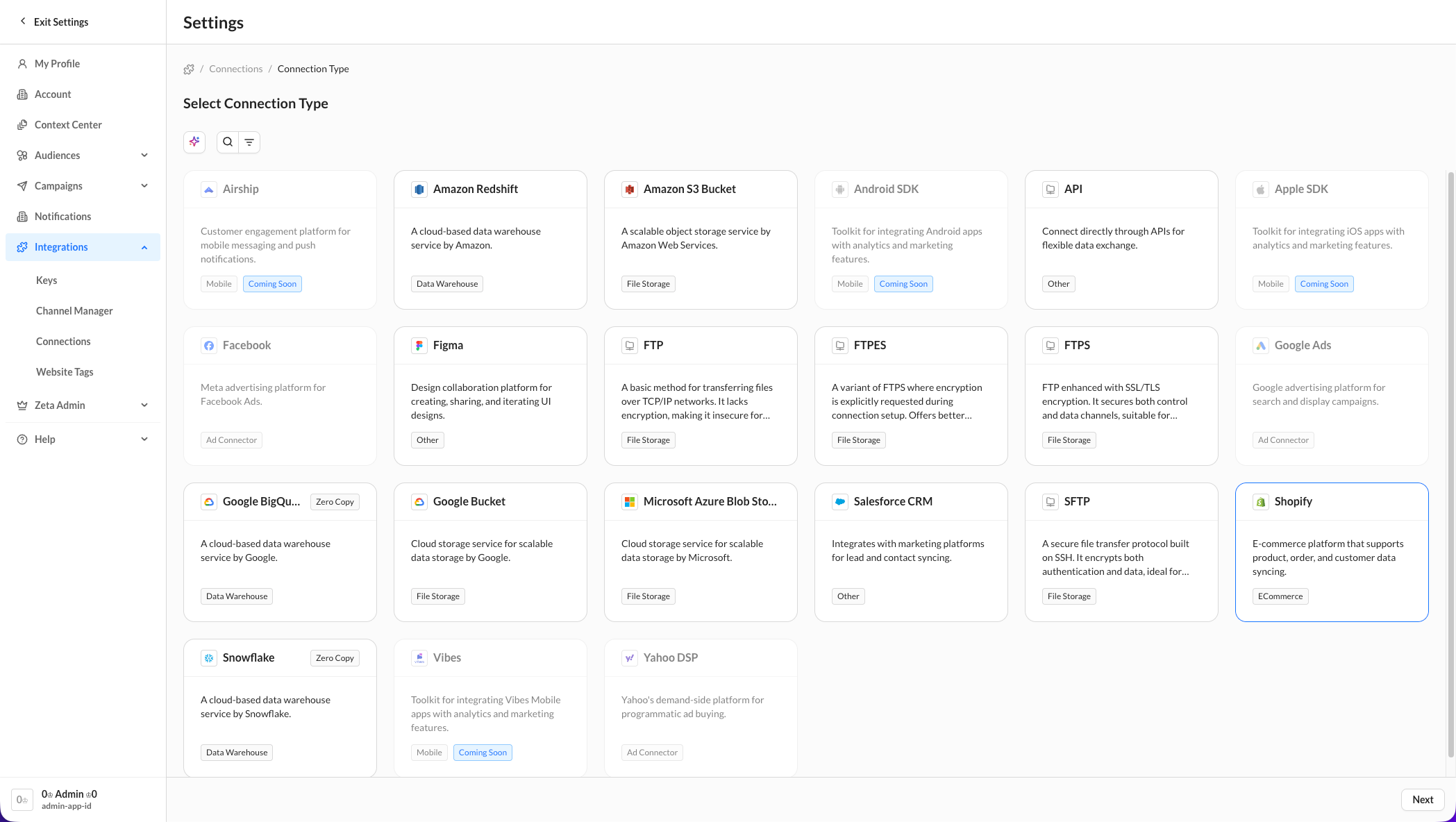
3. Name the connection. Shopify is fine for most accounts. If you have more than one Shopify store, use a name that identifies the store.
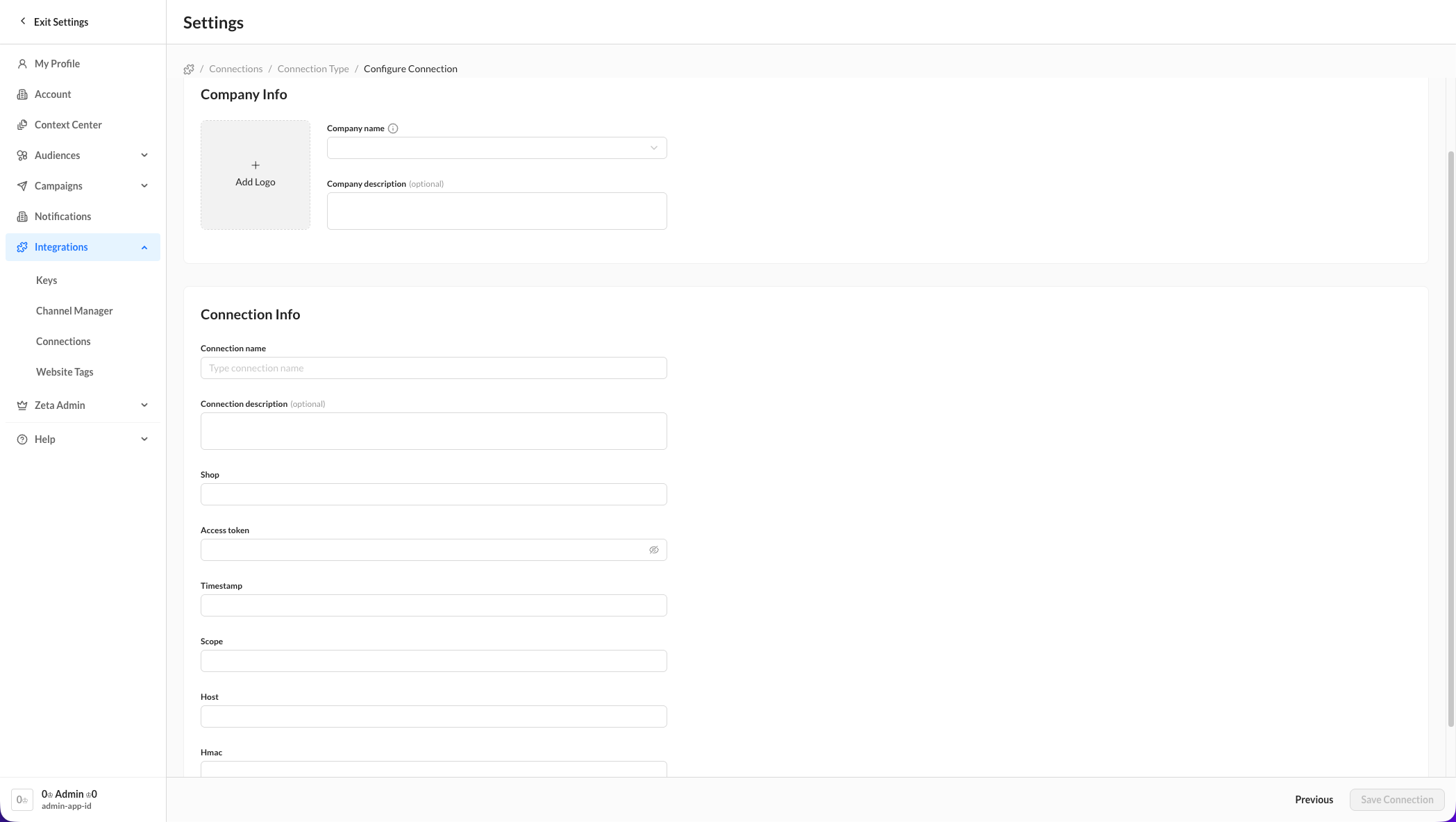
4. Enter the Shop Name. Enter the Access Token, then save the connection.