
Performance Advisor is currently in Beta. To get access to Performance Advisor, please message hubsupport@zetaglobal.com with your account details.
Performance Advisor helps connect your day-to-day marketing activities to your business goals, so you can see how each action impacts performance. By setting a goal, you enable Zeta’s AI to generate tailored recommendations at the campaign level, along with expected impact on key metrics like revenue, cost, and engagement.
You can review and apply recommendations immediately or plan them for later, then track progress over time to understand what’s driving results. Performance Advisor also provides a centralized view of recommendations, execution status, and overall impact, making it easier to manage and optimize campaigns.
This tool is designed for marketers responsible for planning, executing, and measuring campaigns, especially those who need to tie performance back to business outcomes.
Getting Started
There are no data or campaign requirements to use Performance Advisor, but to get recommendations, you will need a CRM campaign running.
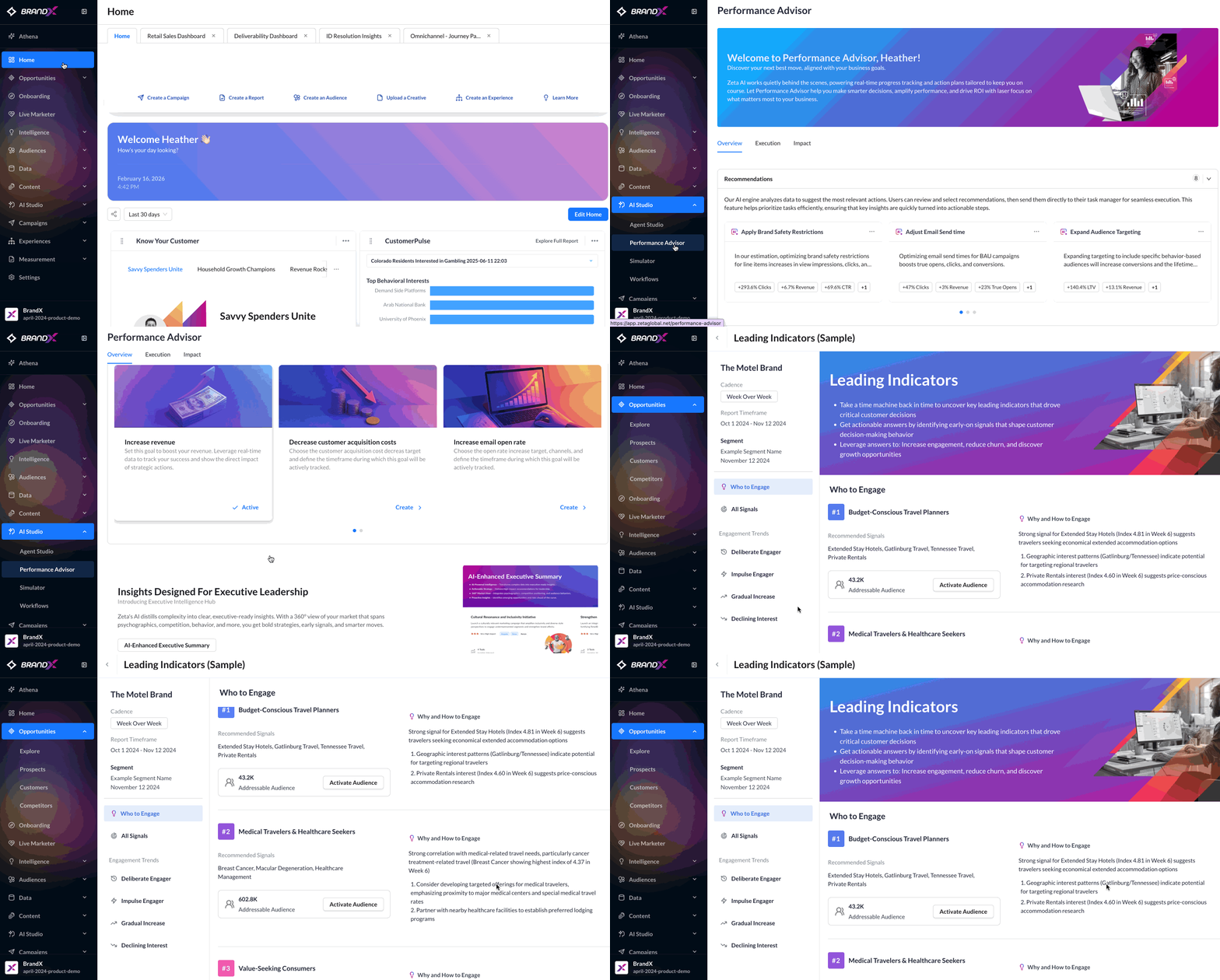
To access Performance Advisor in ZMP, navigate to AI Studio > Performance Advisor from the menu on the left.
-20260226-072925.gif)
Goals
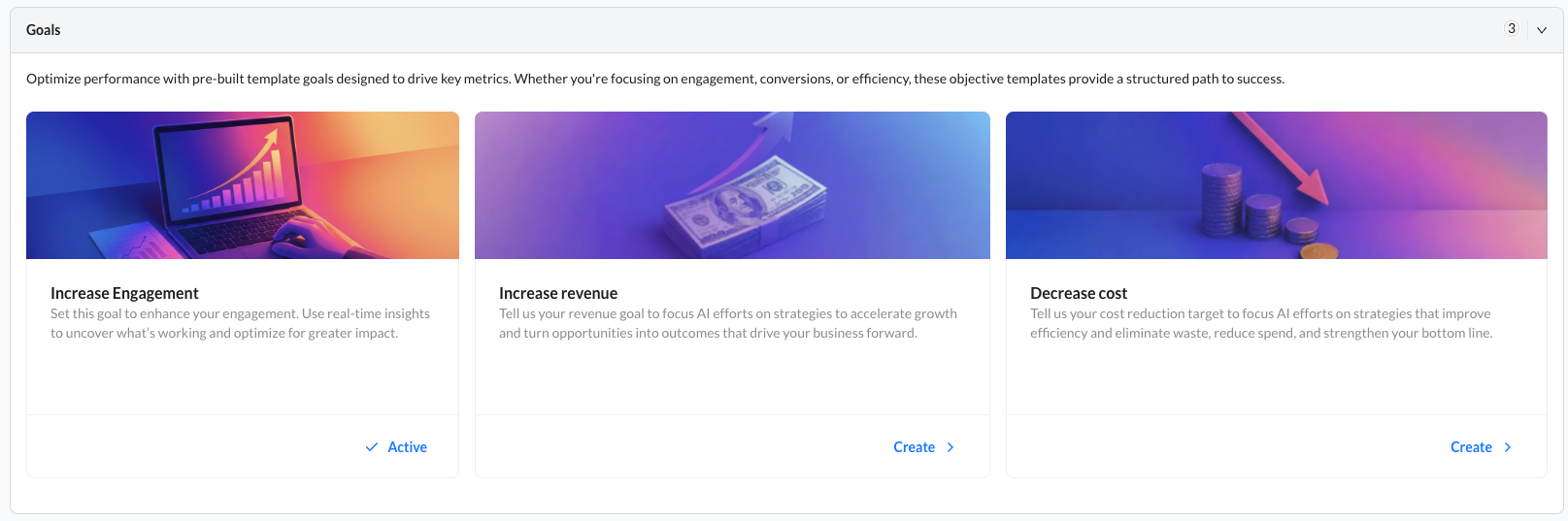
What it does:
Setting up a business goal allows the Performance Advisor to optimize towards the most meaningful objective.
When to use it:
For best results, you should set up a goal the first time you enter Performance Advisor.
Examples:
-
Revenue: $50,000
-
Cost: $200
-
Engagement: 123,456*
Common mistakes:
-
Choosing a start and end date window: Your start and end dates are meant to support your planning process, so choose a timeframe that is most useful for your business. If the end date passes, you will see an error message on the goal card asking you to update it to a future date. After updating the date, you can save and continue. You may find it helpful to use the end date as a reminder to revisit and refresh your goal values.
-
Treating goal values as exact targets: The revenue and cost values you enter are intended to provide directional guidance and do not need to be exact. At this stage, Performance Advisor uses these inputs to understand your business objective and optimize toward it, even if the values are approximate.
-
Entering engagement values manually: You do not need to enter engagement values manually. Performance Advisor automatically tracks clicks for engagement goals.
Why this is important:
Setting up a goal is important because it informs Performance Advisor what is important to you and your business. Without that critical piece of information, Performance Advisor will, by default, try to improve overall performance.
How to set up a goal
-20260317-144954.gif)
Follow these steps to create a new goal in Performance Advisor:
1. Choose a Goal Template
-
Select one of the business goals: Boost Revenue, Reduce Costs, or Increase Engagement
2. Set the Timeframe
-
Select the start date and end date for your goal.
3. Define Your Current Value
-
Input your current value for Revenue and Cost goals
-
Performance Advisor automatically tracks clicks for Engagement goals.
4. Set the Target Value %
-
Enter the target value % you want to achieve.
Recommendations
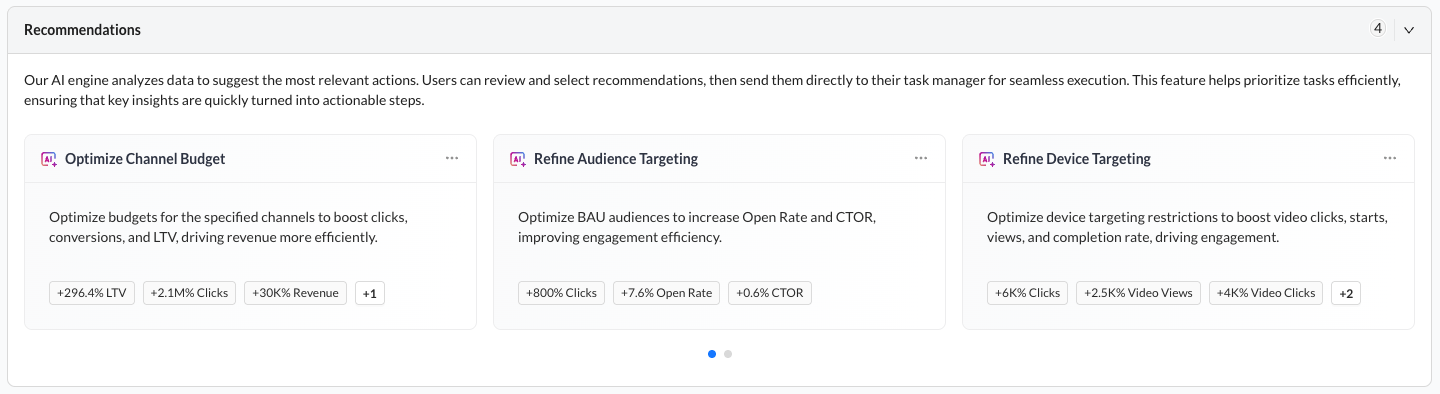
What it does:
Each recommendation is a small change that will improve performance.
When to use it:
Use recommendations regularly to identify optimization opportunities and take action.
Examples:
-
Change budgets to improve LTV and revenue
-
Refine audience targeting to increase conversions
-
Adjust campaign settings to improve engagement
Common mistakes:
-
Complete the Modify section before activating a recommendation: The Activate Recommendation button will remain unavailable until all required selections have been made in the Modify section. Once your selections are complete, the button will become available and you can proceed with activation.
-
Manage recommendations during goal creation: During goal creation, you can add recommendations to Planning by selecting the checkbox on the recommendation card, or you can activate them automatically by completing the required selections in the Modify section before clicking Next and then Finalize.
Why this is important:
Recommendations help turn insights into action by highlighting the most impactful changes. This enables faster, data-driven optimization without manual analysis.
How to activate a recommendation
-20260317-153442.gif)
1. Go to the Overview or Execution tab in Performance Advisor
2. Select the recommendation you want to act on
3. In the Modify section, select one, multiple, or all campaign modifications
4. Click Activate Recommendation to apply changes immediately OR click Athena Guidance for a step-by-step walk-through of how to manually apply the recommendation
How to organize your recommendations
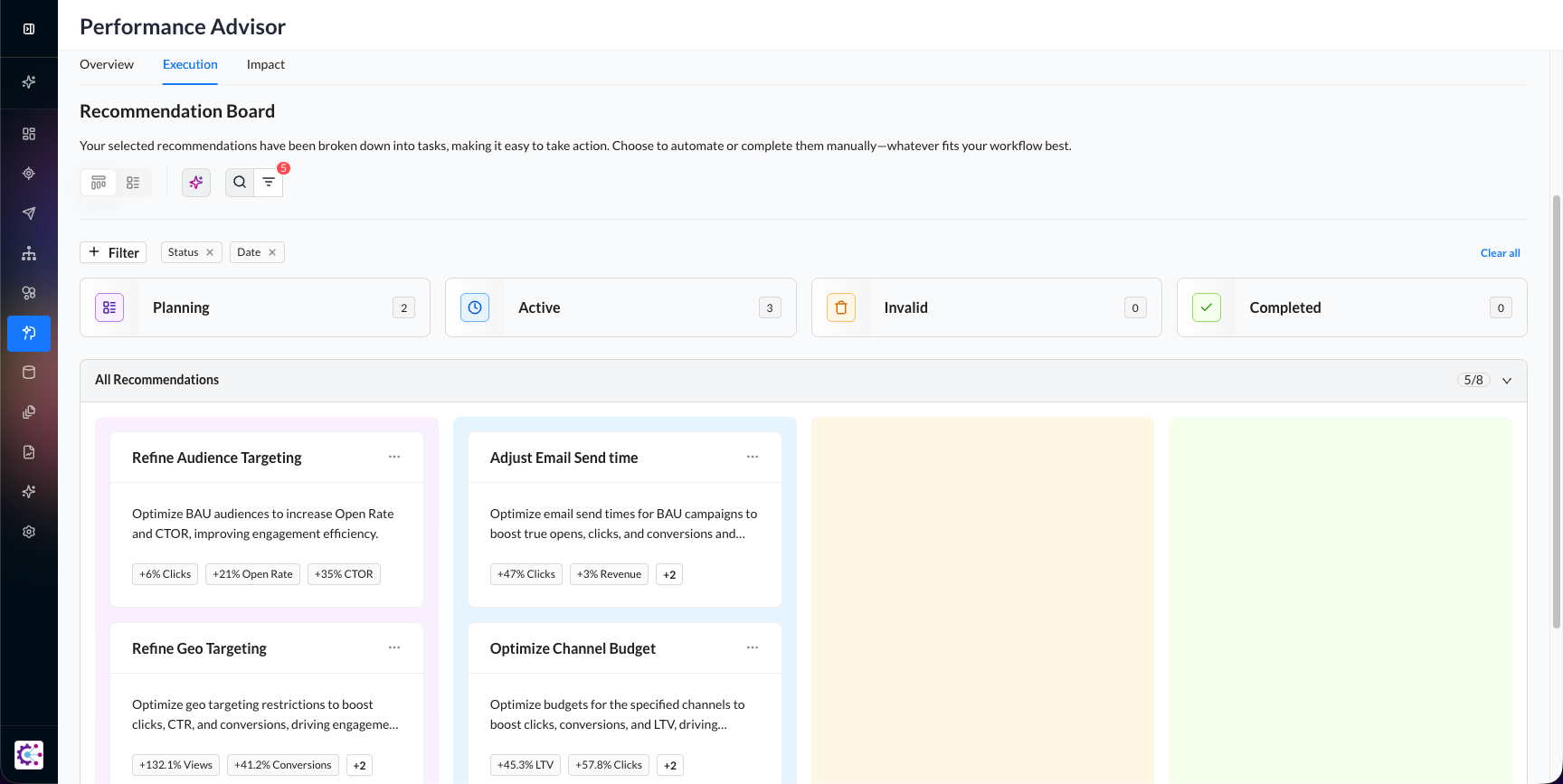
1. Go to the Execution tab to view the Recommendation Board
2. Use filters (Status, Date) to find specific recommendations
3. Review recommendations in each status column:
-
Planning
-
Active
-
Invalid
-
Completed
4. Move recommendations between statuses as you take action
5. Update statuses regularly to keep your board organized and up to date
How to share results with stakeholders
-20260317-152752.gif?cb=87dd3e3311a633709109e35d1d00d15a)
-
Go to the Impact tab in Performance Advisor
-
Review performance metrics and outcomes from implemented recommendations
-
Highlight key improvements
-
Share insights with stakeholders by presenting the results
-
Focus on clear outcomes and business impact to communicate value effectively
Executive Intelligence Hub
The Executive Intelligence Hub is a 360° view of your market that spans psychographics, competition, and behavior. Alongside Zeta’s proprietary data and signals, Executive Intelligence Hub delivers bold strategies, early signals, and smarter moves by helping to eliminate blind spots and ensure decisions are based on a complete picture of the business environment. Zeta's AI distills complexity into clear, executive‑ready insights that enable teams to anticipate customer needs, identify emerging opportunities, and align actions to business goals.
Leverage this tool when a comprehensive, unified understanding of your market and competitive landscape is needed in order to make informed strategic decisions. It is particularly valuable when teams are looking to:
-
Gain clarity on market dynamics by consolidating data from multiple sources into a single view that reflects customer behavior, competitive activity, and broader market signals.
-
Translate complex, high-volume data into actionable insights that are ready for executive reporting and strategic planning.
-
Inform and refine strategic initiatives, such as market entry planning, campaign prioritization, or product positioning, by leveraging predictive perspectives and early signals from integrated data.
To access the Executive Intelligence Hub from Performance Advisor:
-
Navigate to Performance Advisor.
-
Scroll to the bottom of the Overview tab.
-
Click on the AI-Enhanced Executive Summary button.
The Executive Intelligence Hub is a bespoke tool designed for each client individually. If you cannot access the Executive Intelligence Hub, please contact Support.