

The Data Discovery & Mapping app helps streamline the process of understanding and preparing client data for use in the Zeta Marketing Platform. Instead of manually reviewing every column in a sample file, users can upload a CSV or JSONL file and let the app generate a structured data profile.
The app analyzes the uploaded file to identify field types, detect formats, flag sensitive fields, recommend primary key candidates, and generate plain-English field definitions. It also provides recommended mappings from source fields to ZMP’s standard profile schema. When editing is enabled for your account, you can correct those mappings and generate a sample payload and a mapping script from the saved table.
Navigation
If you do not see the Data Discovery & Mapping app, please reach out to your Zeta support or account team for access assistance.
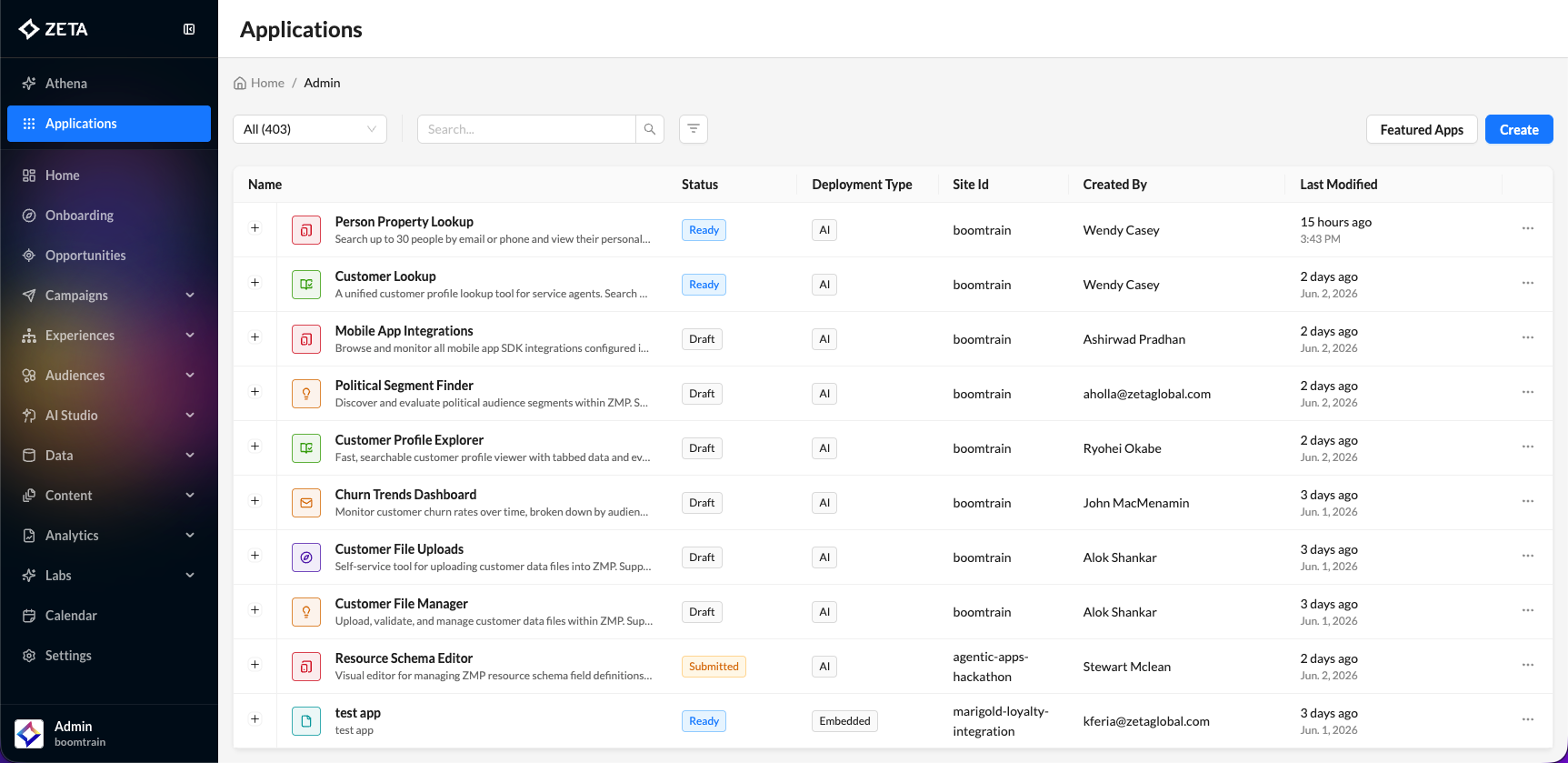
The Data Discovery & Mapping app is accessible from the Applications menu in ZMP.
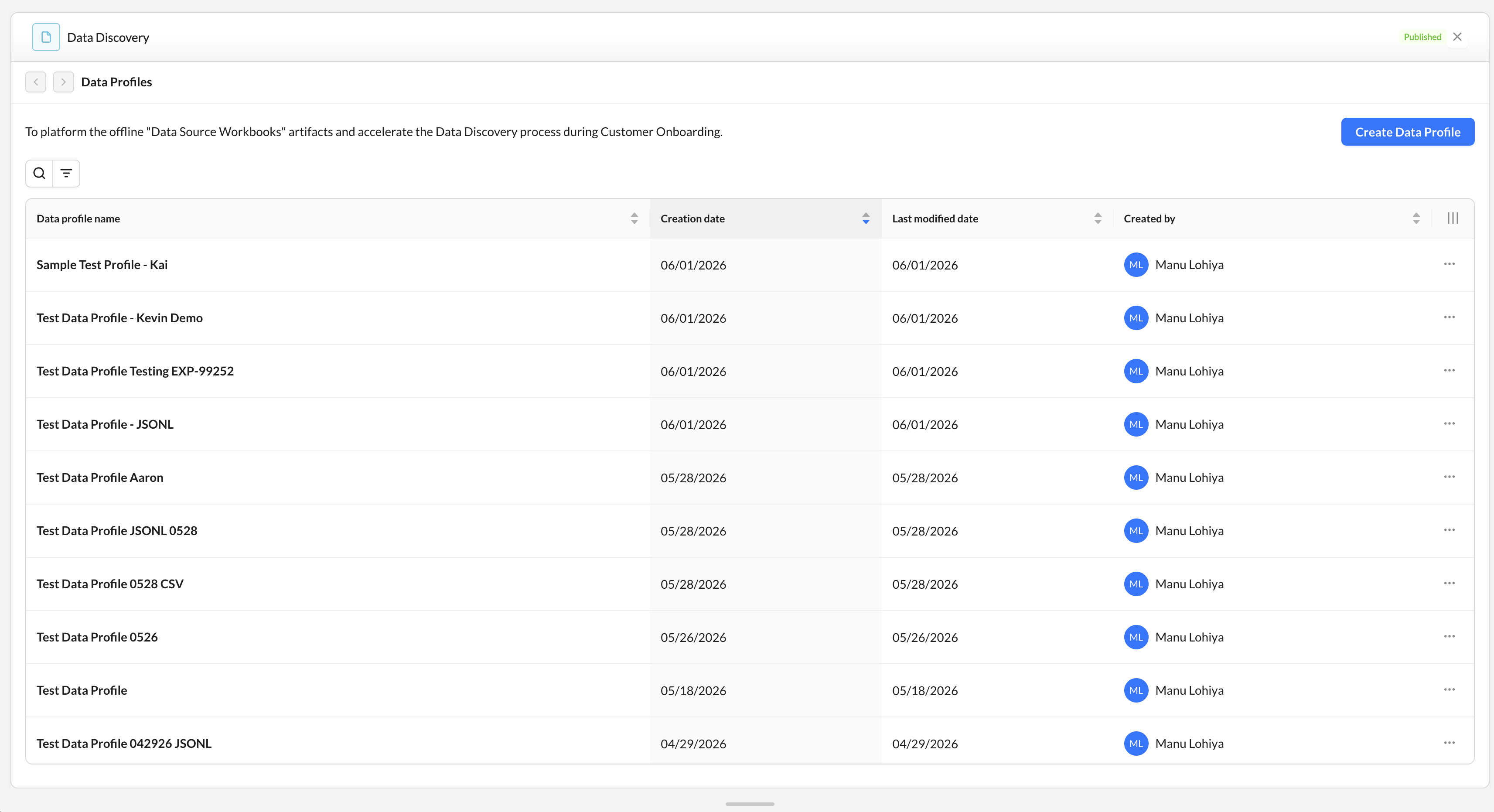
When you open the app, you land on the Data Profiles list. This is the central hub for saved profiles within the current account.
-
Each row represents a saved data profile and may include details such as profile name, creation date, last modified date, and creator.
A profile moves through Profile Details, Data Profile, Data Mapping, and, when editing is enabled, Sample Payload & Mapping Script. You can open any step. If you change an earlier step, generate the later steps again.
Creating a Data Profile
Click Create Data Profile to begin.
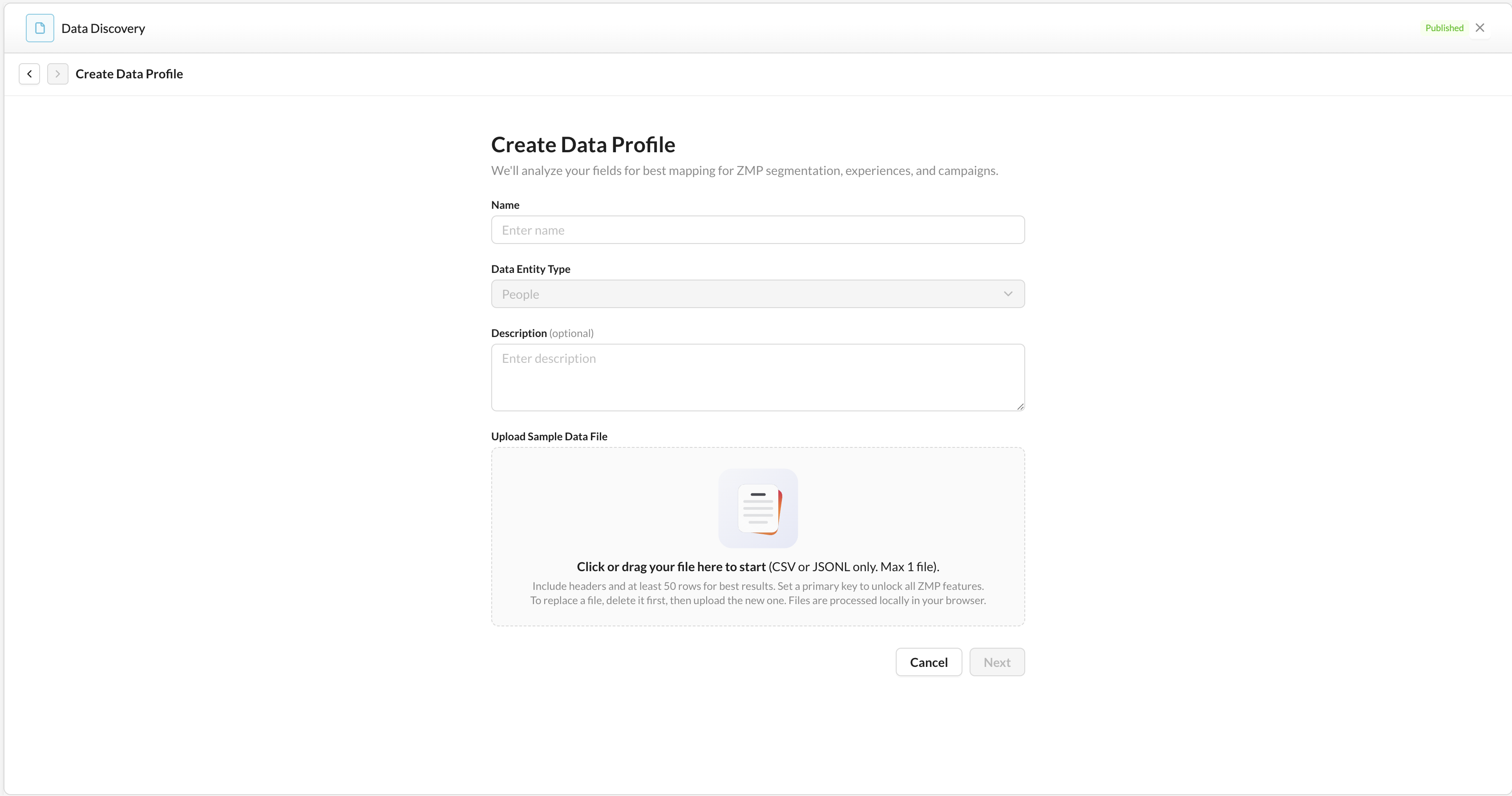
1. Complete the profile details:
|
Field |
Required |
Description |
|---|---|---|
|
Name |
Yes |
Unique profile name, up to 100 characters |
|
Entity |
Yes |
Profile. Events and Resources are not available. |
|
Description |
No |
Optional context such as client name, file version, source, or notes |
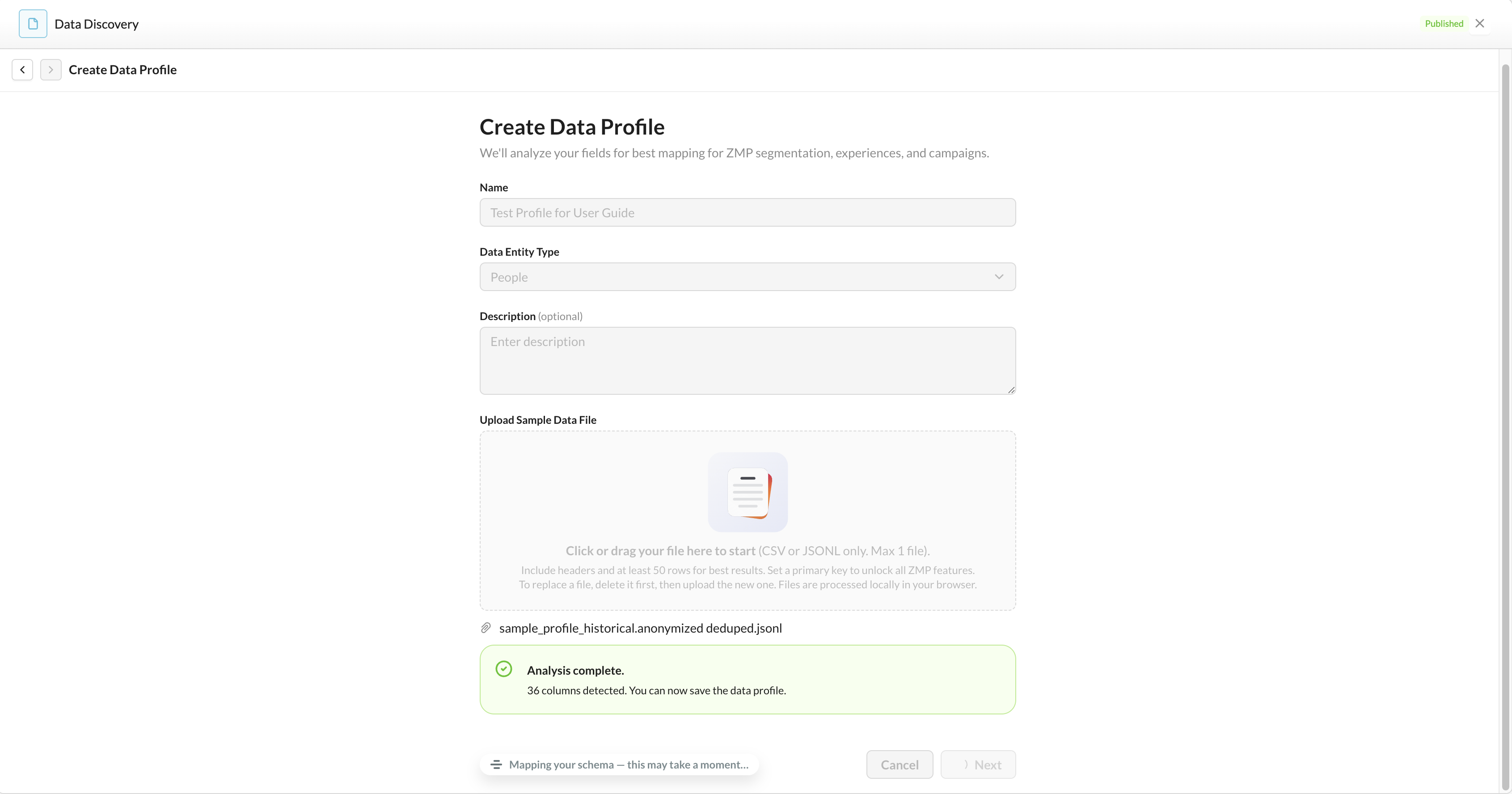
2. Upload a sample data file by dragging it into the upload area or browsing from your computer.
Accepted formats:
-
.csv -
.jsonl
File requirements:
-
Minimum 10 rows of data, not including the header
-
Maximum file size of 50 MB
-
One file per profile
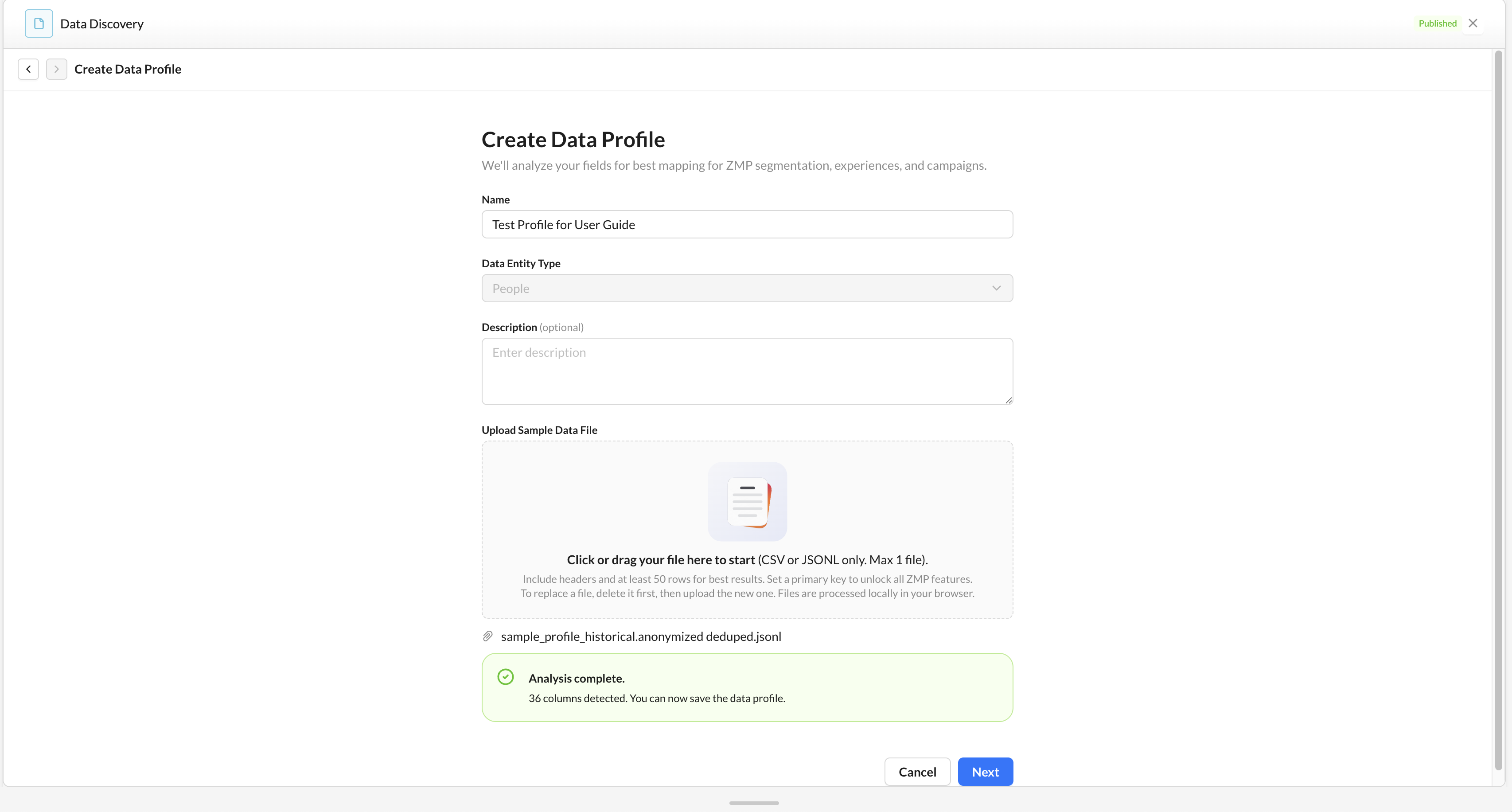
3. After a file is selected, the app automatically begins AI analysis. During this process, the app validates the file, prepares it for analysis, and inspects each column.
-
When analysis is complete, the profile is ready to save.
Do not close the page while the analysis is running. If the analysis fails, remove the file and try again. If the issue continues, contact your Zeta support team.
4. Once the analysis is complete, click Next to save the data profile.
-
The app saves the profile and generates recommended schema mappings. When finished, you are taken to the Profile Detail page.
Understanding the Profile Details
Data Profile
The Data Profile tab shows the app’s analysis of each column in the uploaded file.
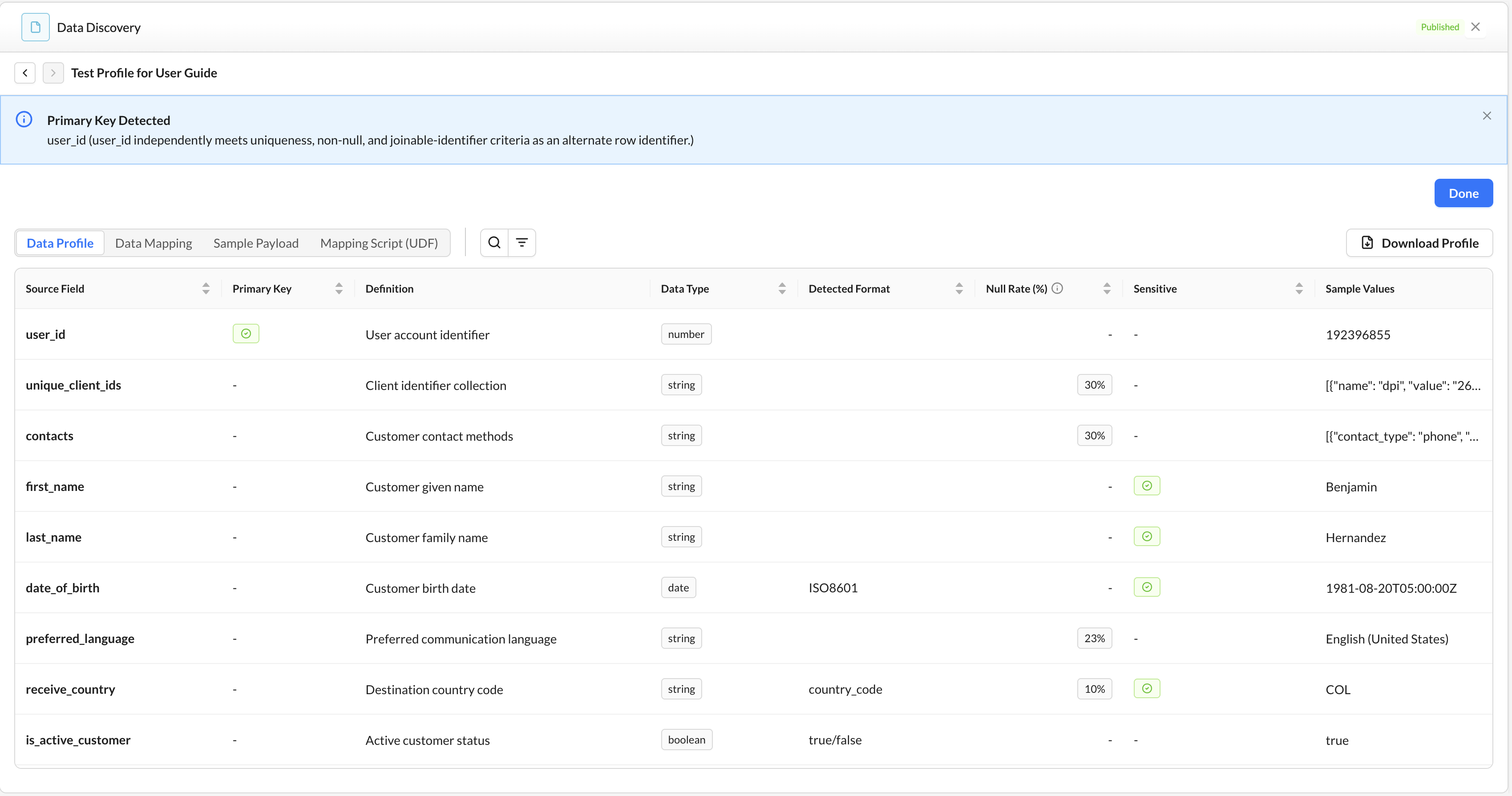
The table may include:
|
Column |
Description |
|---|---|
|
Source Field |
Original column name from the uploaded file |
|
Primary Key |
Indicates whether the field is recommended as the primary key |
|
Definition |
Plain-English description of the field |
|
Data Type |
Inferred type, such as string, number, date, boolean, email, or enum |
|
Detected Format |
Recognized format, such as date, phone number, or email |
|
Null Rate |
Estimated percentage of empty values |
|
Sensitive |
Indicates whether the field appears to contain sensitive data |
|
Sample Value |
Representative value used for review |
|
Uniqueness Rate |
Estimated uniqueness of values in the field |
Click Download to export the column analysis as a CSV.
Data Mapping
Open the Data Mapping tab to review recommended mappings from source fields to ZMP profile fields.
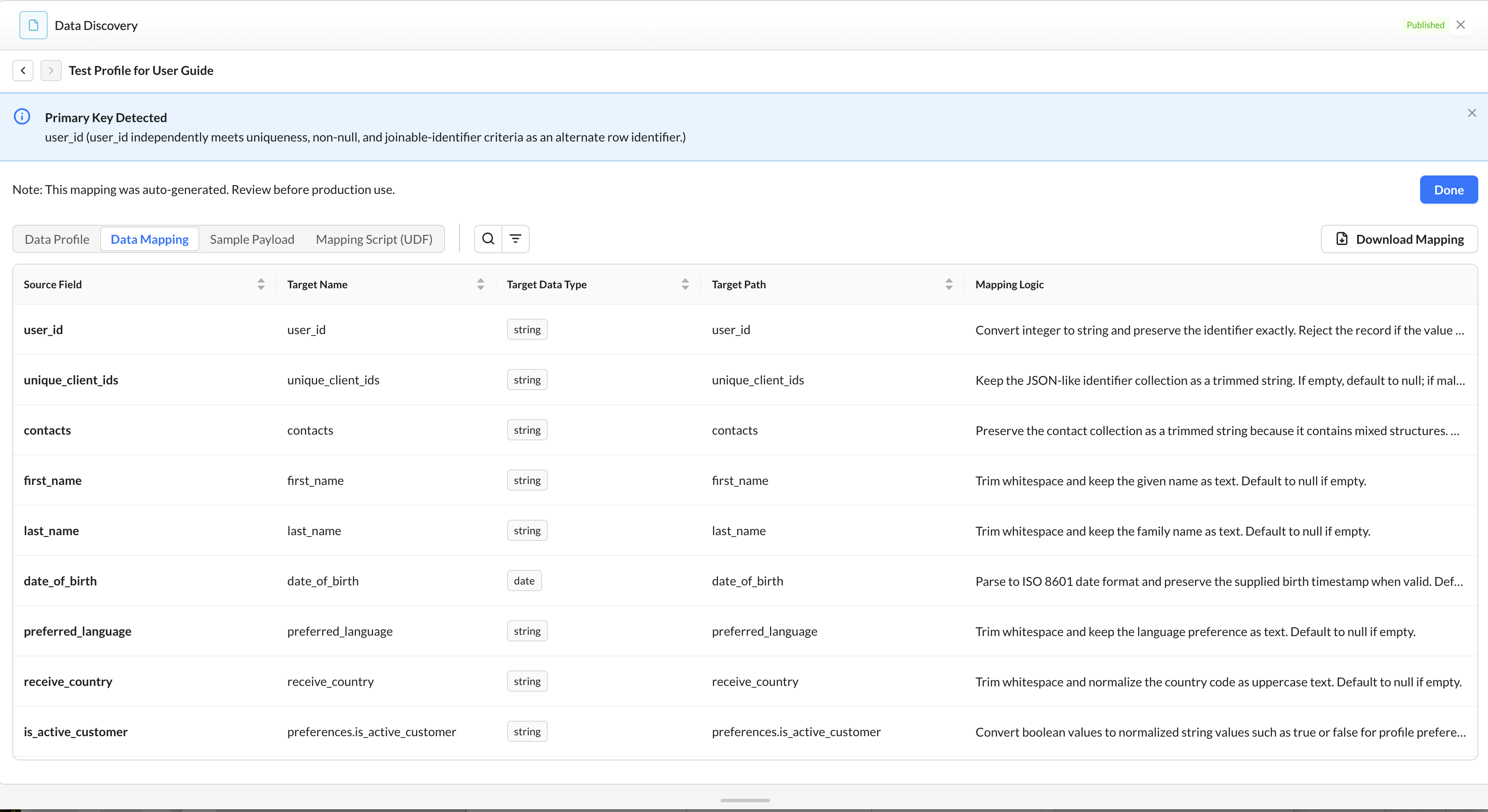
The mapping table may include:
|
Column |
Description |
|---|---|
|
Source Field |
Original field from the uploaded file |
|
Target Name |
Recommended ZMP-standard field name |
|
Target Path |
Location of the field in the ZMP profile structure |
|
Target Data Type |
Recommended target data type |
|
Key |
Identifier role: UNIQUE ID, PRIMARY KEY, or NONE |
|
Description / Notes |
Note for the field |
|
Mapping Logic |
Plain-English explanation of the recommended transformation |
When editing is enabled for your account, Source Field stays read-only on rows the app generated. You can change Target Path, Target Data Type, Key, and Description / Notes. Target Path cannot be empty.
To change a row:
-
Choose Edit on that row. The actions change to Save and Cancel.
-
Update the fields, then choose Save. Choose Cancel to keep the previous values.
-
Finish or cancel the open row before you edit another one. Only one row can be open at a time.
You can add a row from the toolbar. Enter Source Field and Target Path before you save it. To remove a row, choose Delete and confirm Are you sure you want to remove this mapping?
Use Search to filter rows by keyword, and Filter to limit rows by a column such as Target Data Type or Key. Download Mapping exports the saved table as a CSV, including your edits.
Sample Payload and Mapping Script
When editing is enabled, choose Generate Output on the saved mapping. The app builds a sample payload and a mapping script from that table.
Sample payload
The sample payload is a read-only JSON example. Top-level groups come from the target paths, and each value comes from the first non-empty sample in the uploaded file. You can select and copy the text, and you can switch between light and dark display.
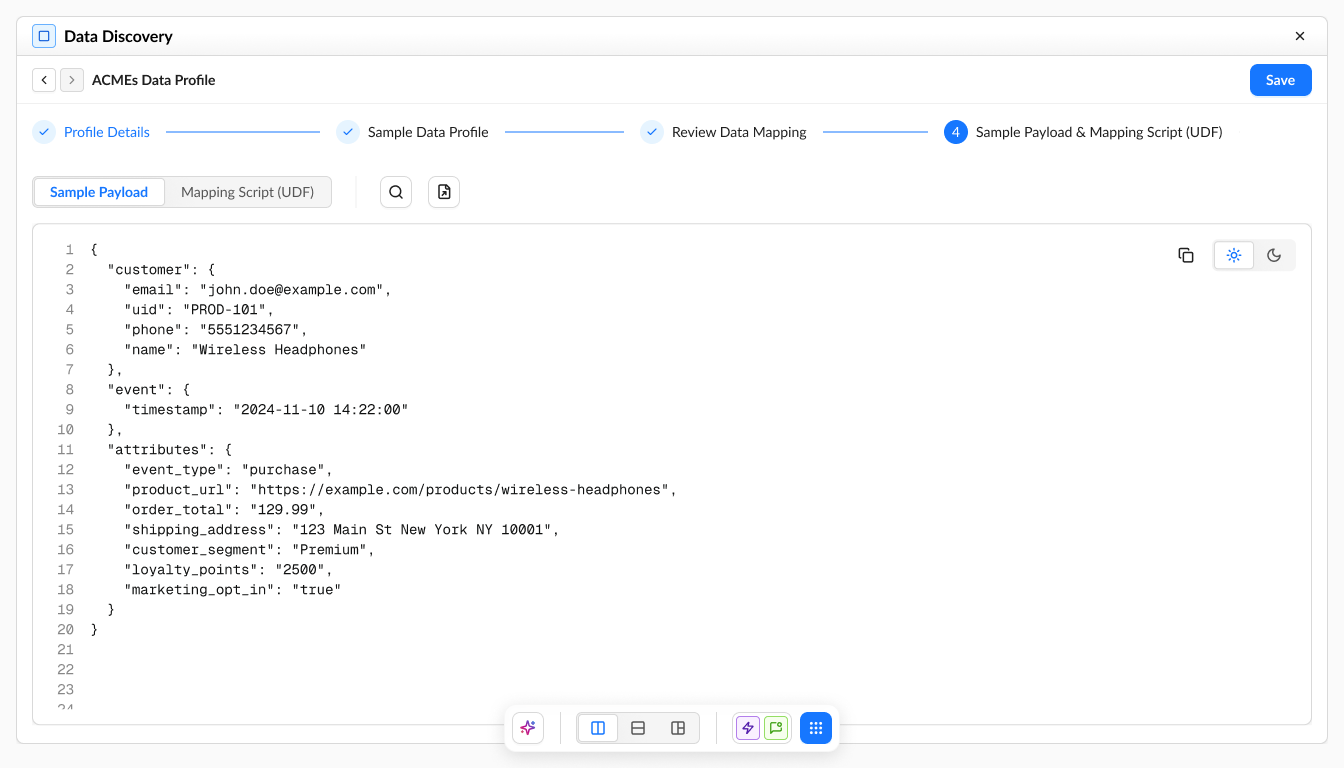
Choose Download Payload to save a .json file named {profile_name}_sample_payload_{YYYY-MM-DD}.json.
|
Message |
What to do |
|---|---|
|
No sample payload available. Run Data Profile first. |
Finish the data profile, then generate the output again. |
|
Source data unavailable. Re-upload the sample data file to generate a payload. |
Upload the sample file again, then generate the output. |
|
Unable to generate payload at this time. Please try again later. |
Try again later. If it continues, contact your Zeta support team. |
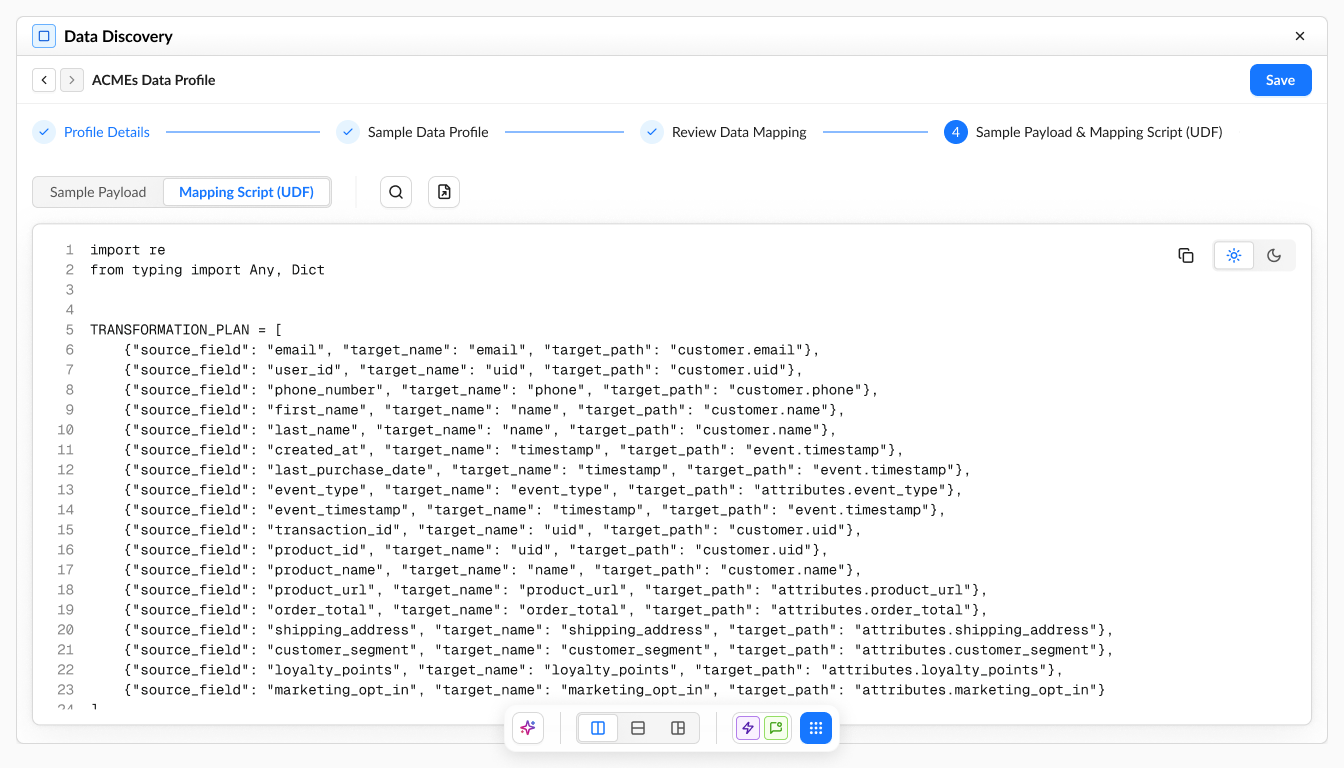
Mapping script
Open the mapping script to see the Python script for the saved mapping. The view states: This script was auto-generated. Review before production use.
The script is read-only. You can select it, copy it, or download it. Copying shows Copied to clipboard. The download is a .py file named {profile_name}_mapping_script_{YYYY-MM-DD}.py.
Best Practices
-
Use a representative sample file with typical values and formats. Include all columns expected in the final data feed, even if some are sparsely populated.
-
Review the recommended primary key first, since an accurate identifier is important for customer profile creation and activation.
-
Review sensitive fields carefully and confirm that any required privacy or compliance processes are followed before production use.
-
Correct the recommended mapping before you generate the script, so the payload matches the feed you plan to send.
-
Use the data profile and mapping exports to support review, sign-off, and implementation planning.