
1. Select the appropriate Rule that corresponds to the expected implementation methodology
-
For Universal Tag: Rule should include all website pages except the conversion page(s)
-
For Conversion Tag: Rule should include website conversion page(s) or event(s)
2. Within the Rule, add a new Action
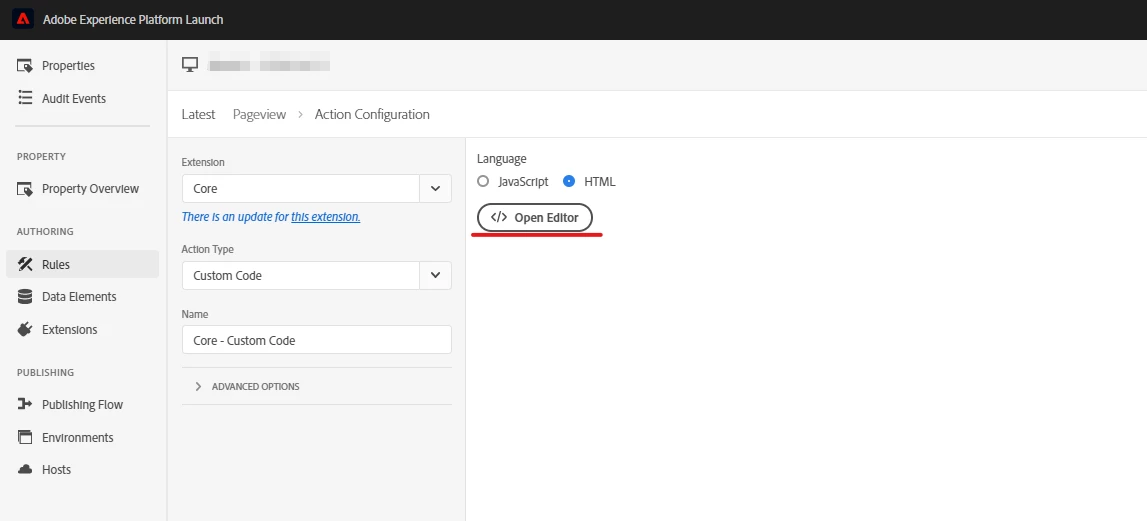
3. Select Extension: Core, Action Type: Custom Code, Language: HTML
4. Open the Editor
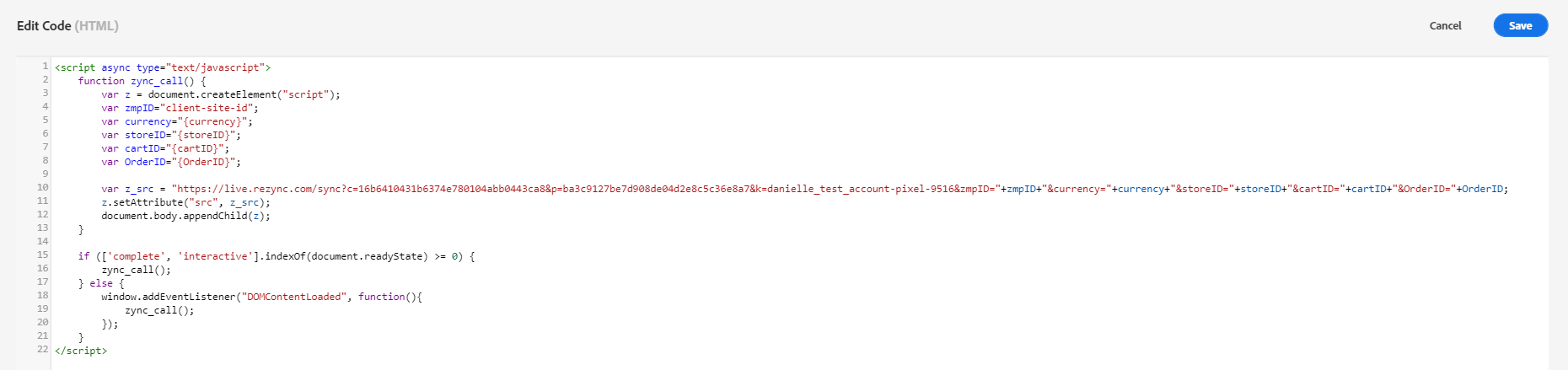
5. Paste the Zeta Global Container Tag
6. (If applicable) Replace parameter value placeholders with the appropriate Adobe Data Element
-
Adobe Launch Data Elements will be of the format:
_satellite.getVar('Data Element Name')