

LiveIntent’s The Trade Desk (TTD) integration allows you access to exclusive email newsletter inventory. Below are some best practices to help get you started.
If you have never worked with LiveIntent before, please reach out to your TTD representative to make LiveIntent available.
Creating the Inventory Contract
-
Navigate to “Inventory” and select “First-Party Contracts.”.
-
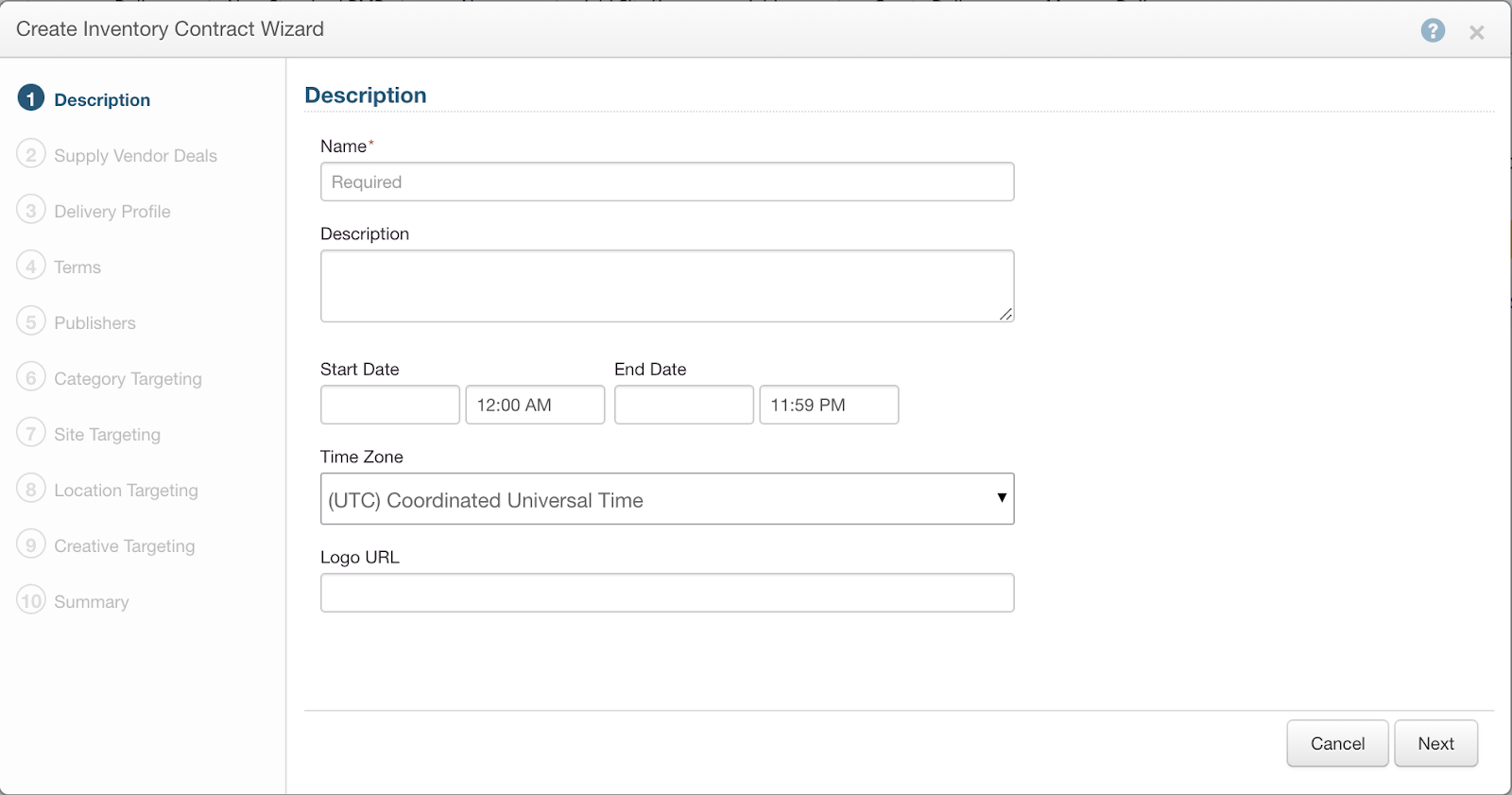
Fill in the “Name”, “Start Date”, “End Date”, and “Logo URL” and click “Next.”
Please note: Logo URL must be in https:// format
-
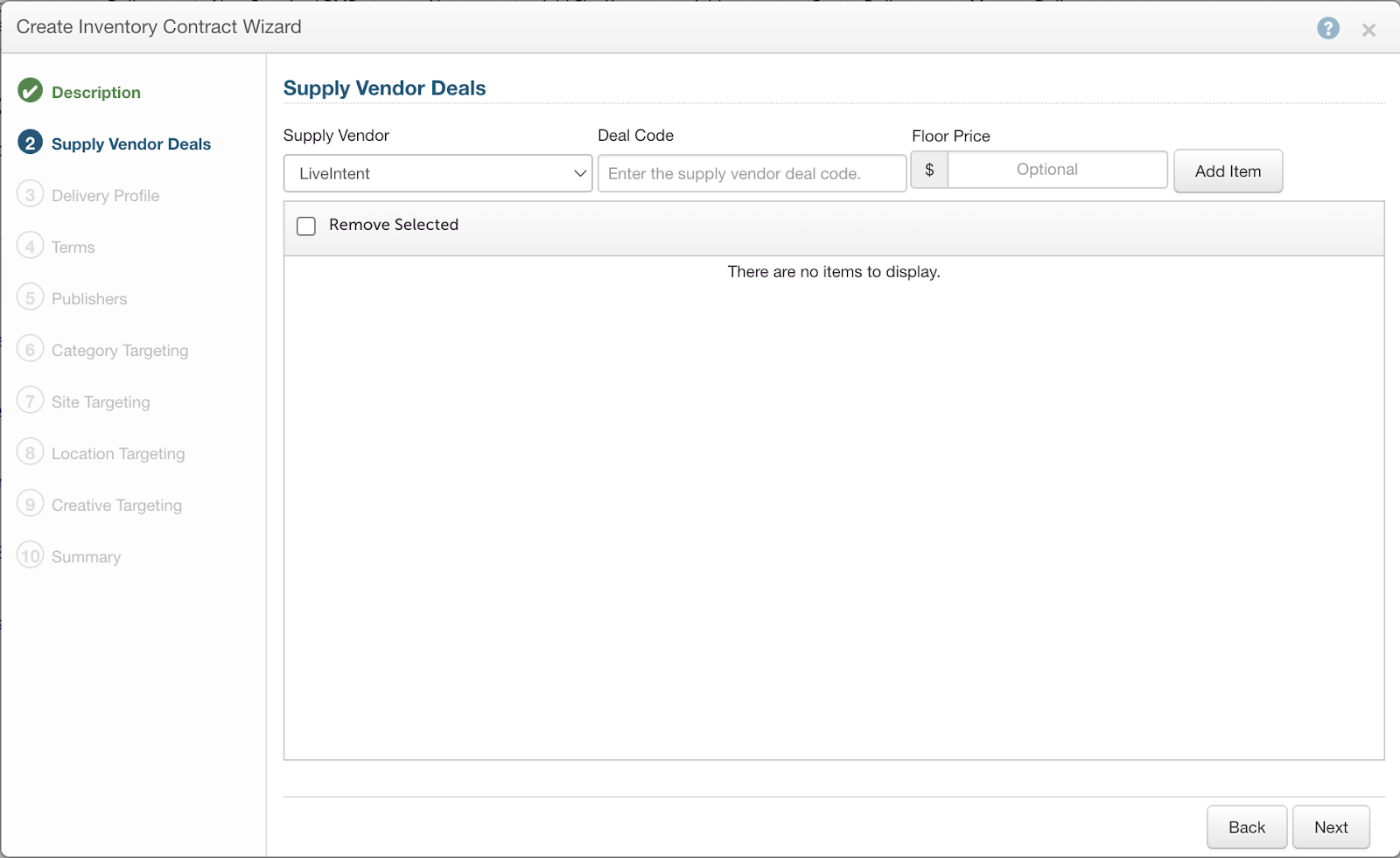
Select “LiveIntent” as the “Supply Vendor.”
-
Fill in the “Deal Code” and Floor **Provided by your LiveIntent representative.
-
Select “Next.”
Please note: If LiveIntent is not available as a Supply Vendor you MUST reach out to your TTD rep in order to enable LiveIntent as a Supply Vendor.
Please note: If your floor is below $1, you will need to include a “0” before the decimal. If the deal code includes an ‘LI’ prefix, please match this in the platform.
-
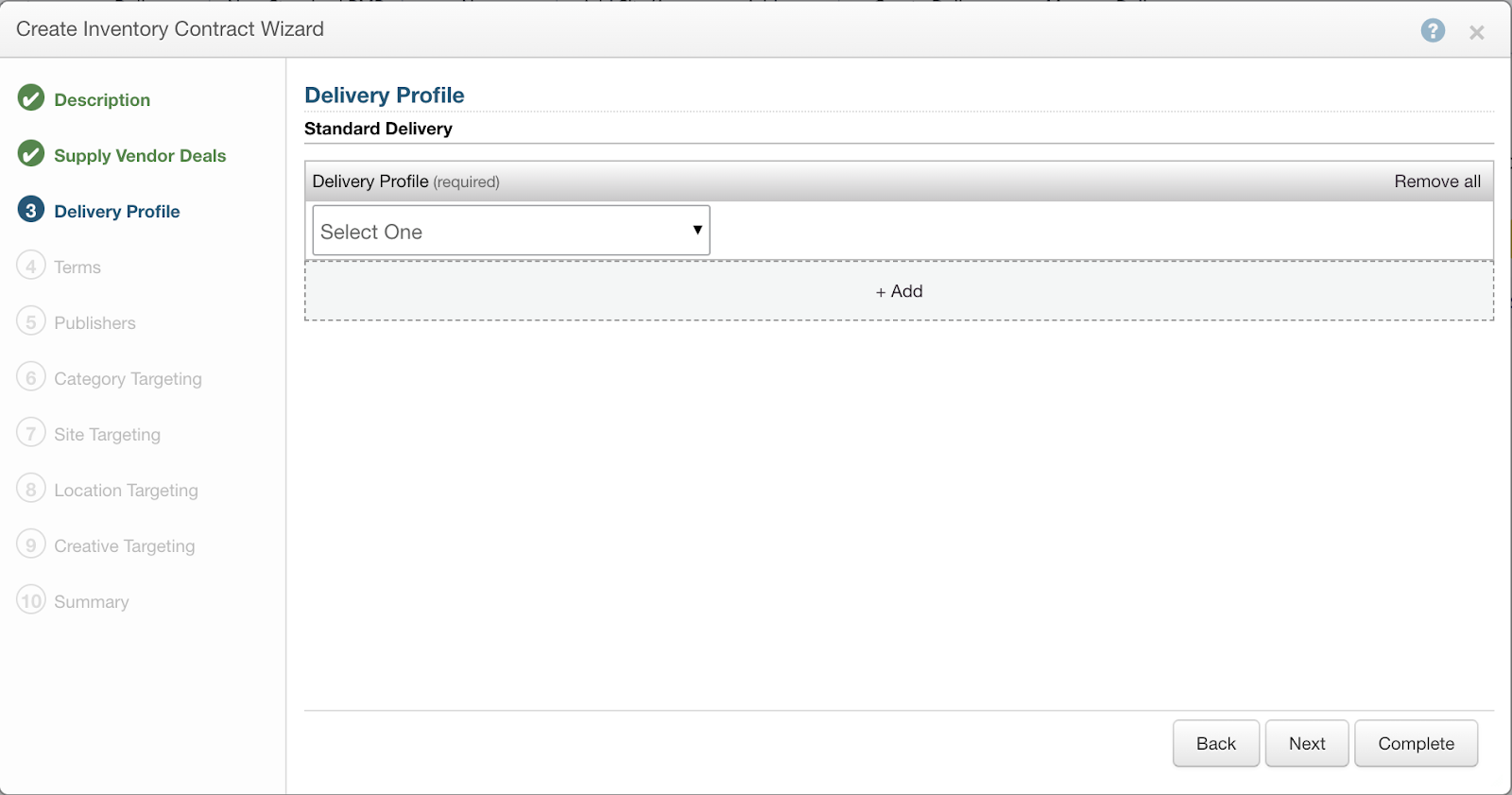
Click “Select One” under “Delivery Profile” and associate your corresponding advertiser so the deal can be leveraged.
-
Select “Complete” to finalize the private contract.
Targeting
Supported Targeting:
-
We accept most standard forms of targeting including CRM data, behavioral, and more:
-
First, second, and third-party targeting:
-
Geo
-
Demographic
-
Device
-
Site Remarketing
-
Day Parting
-
LAL Modeling
-
-
Unsupported targeting:
-
Since the email environment does not support JavaScript, Viewability, Brand Safety and Keyword targeting will not work. The following actions are not supported:
-
Bidding on viewable CPM
-
Setting viewability parameters in the platform
-
Layering keyword targeting (or use grapeshot segments)
-
Leveraging any Pre-Bid Brand Safety tools
-
Creatives
-
Display and Native are supported in TTD. Navigate to Building a Display Creative in The Trade Desk or Building a Native Creative in The Trade Desk to learn more.
-
Creatives must be hosted in the DSP.
-
1×1 tags with Impression (Image) and Click Trackers must be leveraged for all creative.
-
If brand safety tags are in use, 1×1 monitoring tags can be leveraged.