
The Blueprint Library allows you to view all of your Media Group’s blueprints in one place. This visual, searchable library makes it easy to find and understand your blueprints faster.
-
View details about each blueprint, including asset ratio and requirements
-
View mobile and desktop previews to see how native creatives will render across devices
-
View creative and newsletter previews to see how the blueprint will render the ad in your newsletter
Getting Started
Go to Inventory Manager, and click on Blueprint Library from the left-side menu.
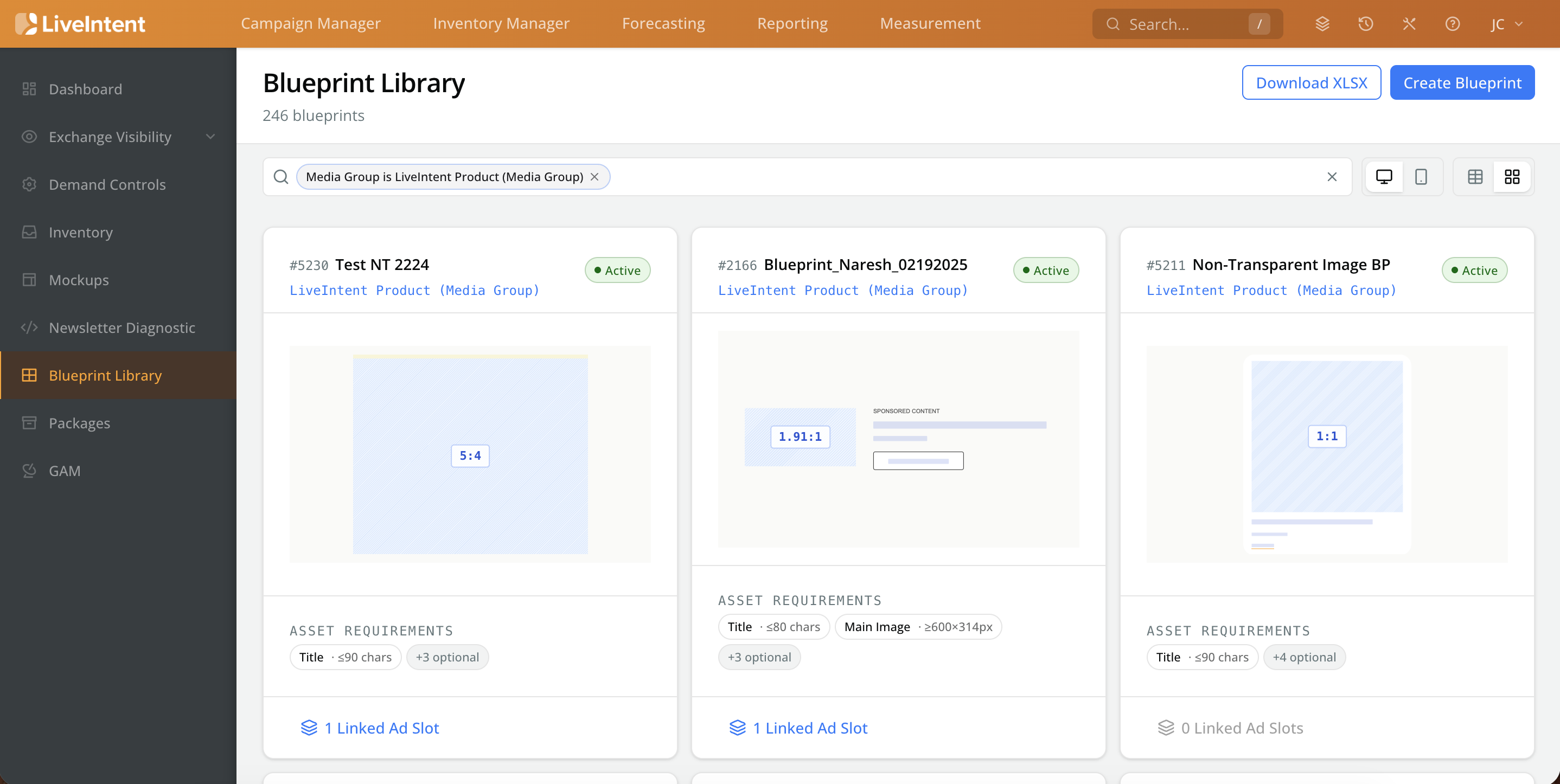
The home screen will default to a card view of all Blueprints under your Media Group.
Each Blueprint card includes:
-
Blueprint Name and ID
-
Status
-
Wireframe view of Blueprint layout
-
This defaults to the desktop view, click on the phone icon in the upper right-hand side of the screen to view the mobile version of the blueprint.
-
-
Asset Requirements
-
Linked Ad Slots
-
Click Linked Ad Slots to bring up a menu with the ad slots the blueprint is linked to.
-
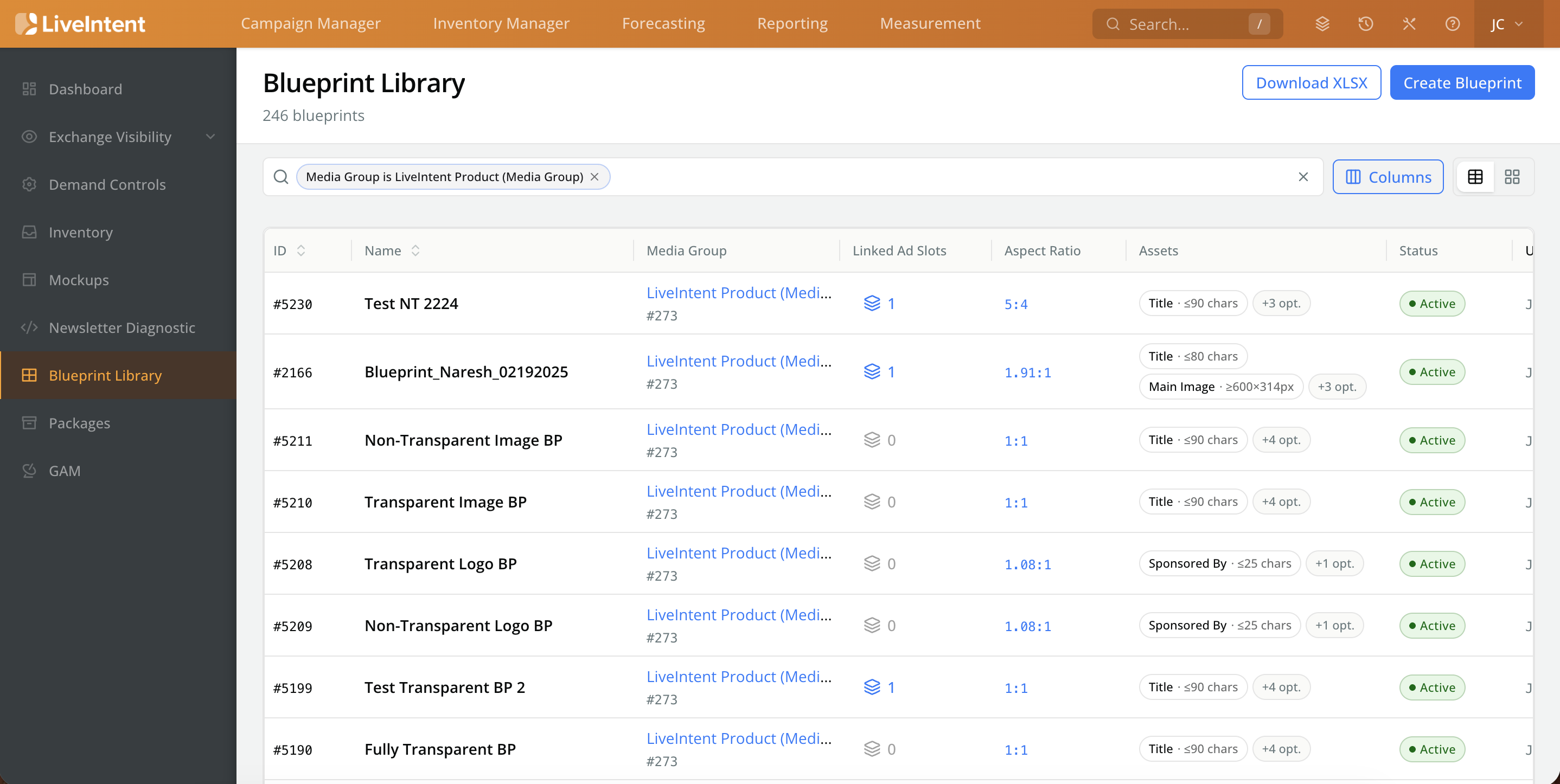
You can switch to a table view by clicking the table icon in the upper right-hand corner.
Blueprint Details
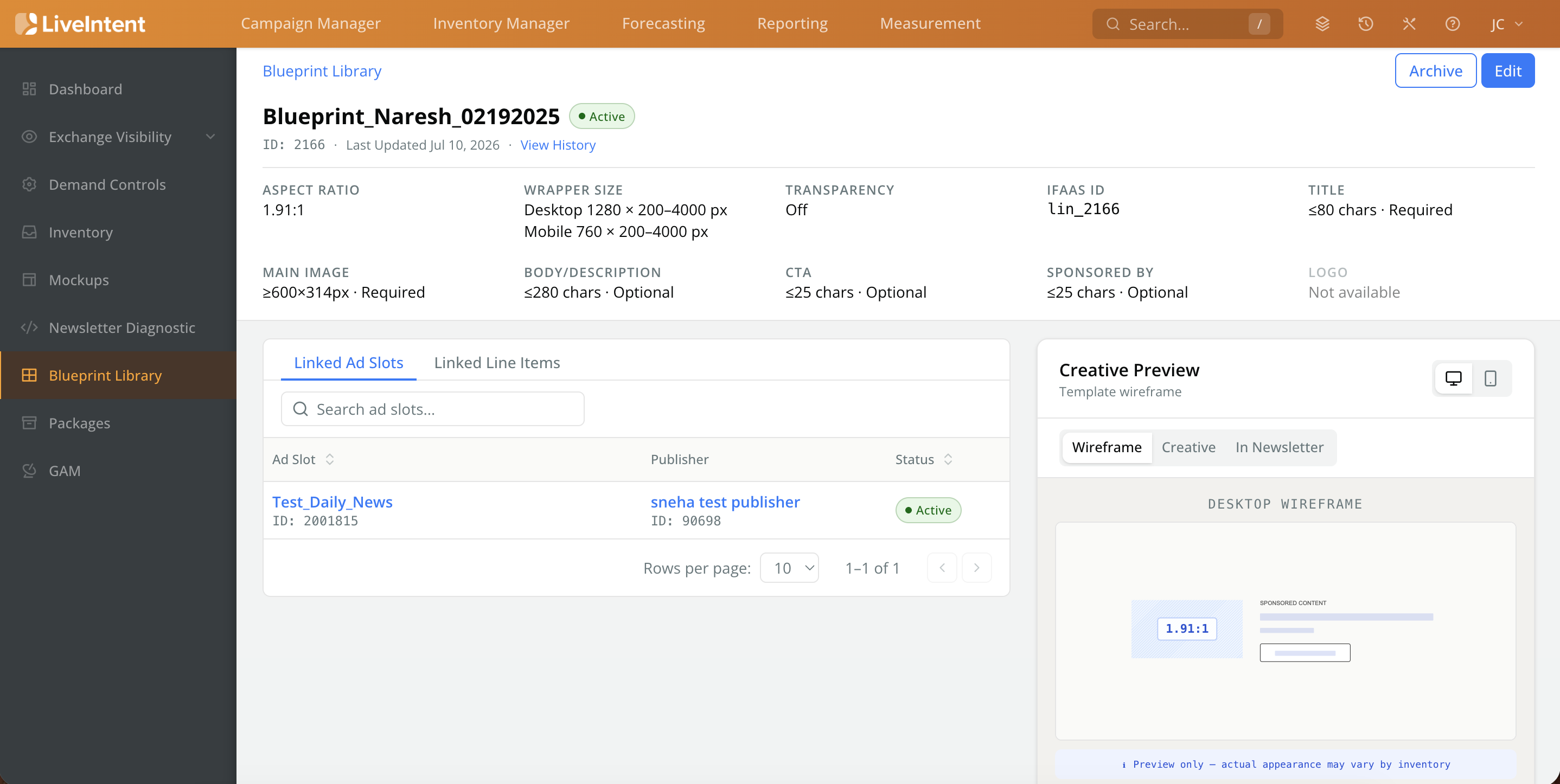
To dive into each Blueprint’s details, click on a blueprint card (or name, if in the table view) to be brought to a new screen that includes:
-
Blueprint Asset Requirements: Review the Aspect Ratio, asset requirements, and character limits.
-
Linked Ad Slots and Line Items: View which ad slots and line items the blueprint is linked to, along with their status.
-
Click on the ad slot or line item to go to their respective overview pages.
-
-
Creative Preview: This provides you with different views of the blueprint and creative so you know how the native ad will render. All of these views are available for both desktop and mobile views.
-
Wireframe: View that shows the blueprint structure and includes the image aspect ratio.
-
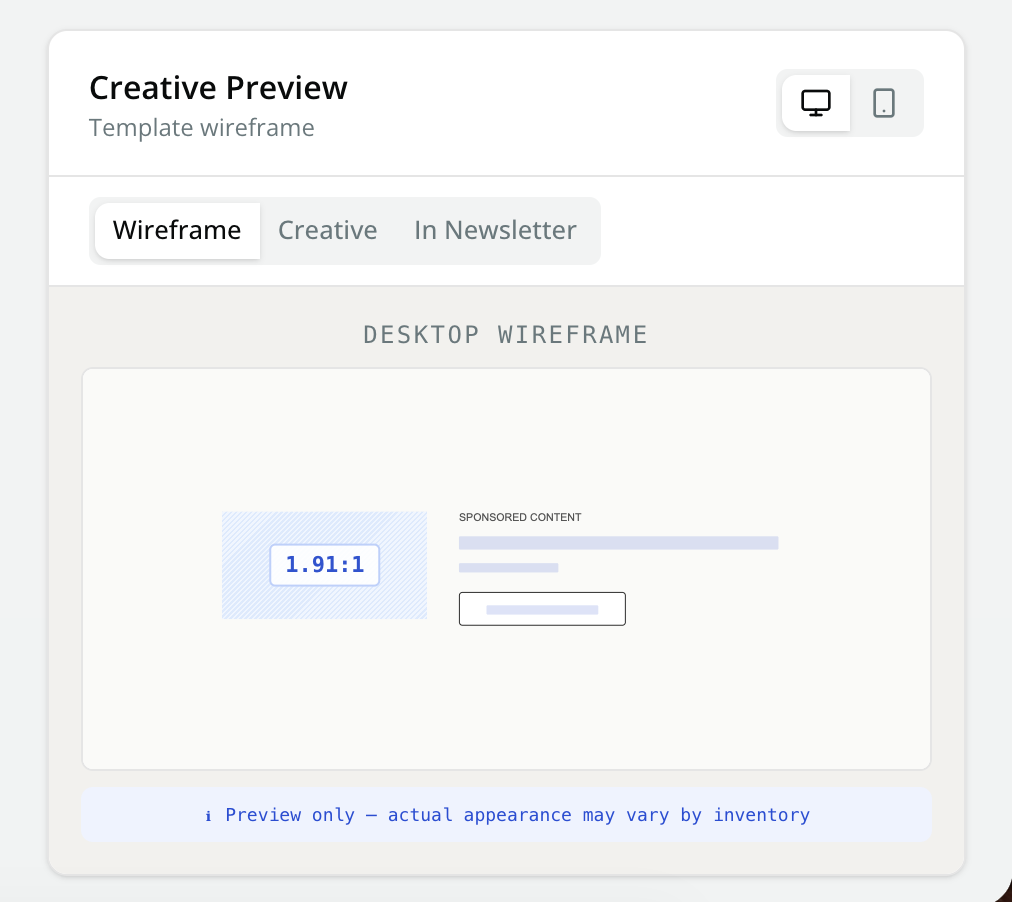
Creative Preview: Desktop Wireframe
-
-
Creative: Select generic advertiser examples to see how the native creative will look.
-
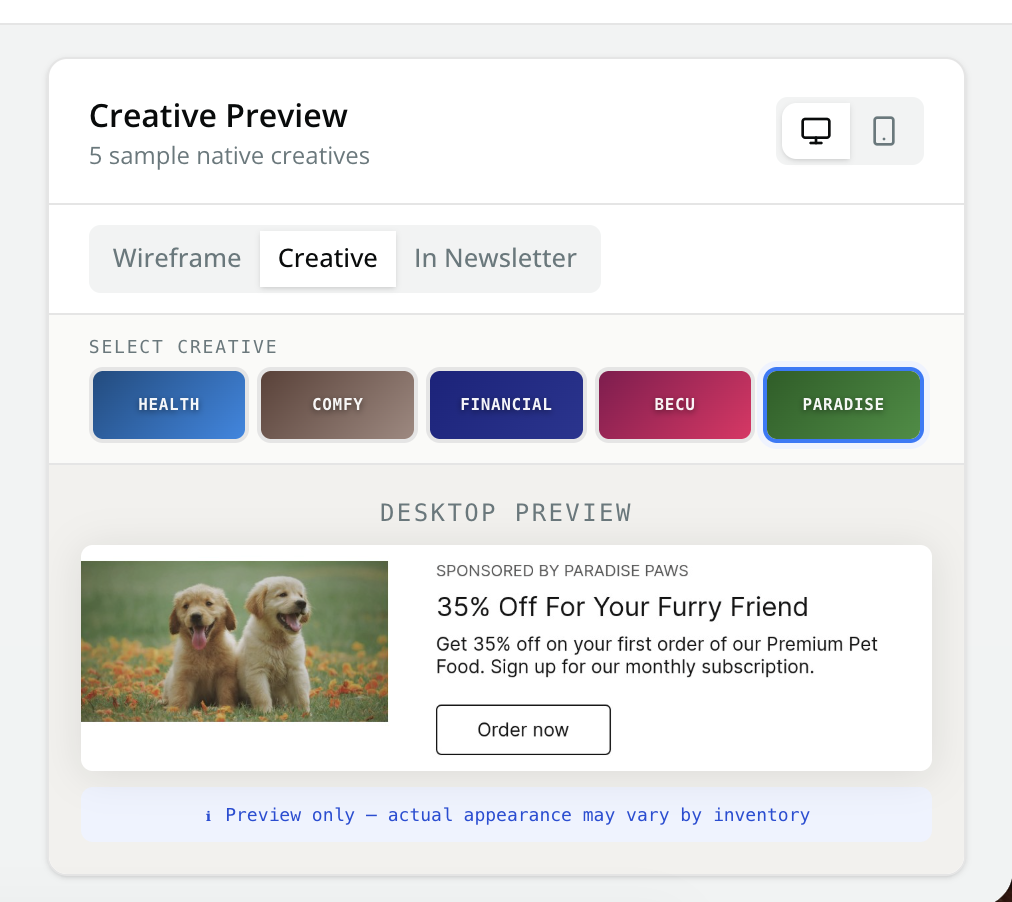
Creative Preview: Desktop Preview
-
-
In Newsletter: Select a newsletter from your Media Group to see how the native creative will look in a recent newsletter send.
-