

Many campaigns use Traffic Quality Targeting to ensure their content is displayed in just a few available milliseconds appropriately. The Traffic Quality Targeting feature allows you to use Peer39, Integral Ad Science (IAS), and Double Verify data to:
-
Avoid displaying ads alongside certain undesirable categories of content.
-
Use IAS data to avoid bidding on suspicious pages where IAS suspects that a bot, not a person, is viewing the page.
-
Exclude unrateable inventory by preventing your ads from appearing on sites/pages whose status is not rated by IAS. Note: this can have a large effect on your available inventory.
-
Target ads to segments that have a high likelihood of appearing in full on the page (IAS Only).
-
Gather inventory data using Traffic Quality Targeting exclusions on the Forecaster.
Standard Brand Safety Profile
The standard brand safety profile includes the following types of content, which we may block based on inventory quality concerns: Ad clutter, adult content, criminal skills, cyberbullying, aviation disasters, terrorist events, extreme, file sharing, fraudulent activity, hate speech, illegal downloads, malware, nudity/partial nudity, parking page, phishing, pornography, profanity, spam, substance abuse, UGC - images, and violence.
Use Traffic Quality targeting to see additional Peer39 content categories that may be blocked. The Integral Ad Science (IAS) pre-bid solution may also be selected to optimize campaigns.
Inventory Types and Brand Safety Support
Both Peer39 and IAS support limited inventory types. The following table shows which inventory type each brand safety vendor supports.
|
Vendor |
Display |
Video |
Mobile App |
Mobile Web |
|---|---|---|---|---|
|
Peer39 |
Yes |
Yes |
No |
Yes |
|
Integral Ad Science |
Yes |
Yes |
No |
Yes |
Applying Brand Safety targeting on the campaign level will include all line-items within the campaign. To adjust Brand Safety for a line-item, remove the Brand Safety restrictions applied at the campaign-level and re-apply them to each line-item individually.
1. Within the Targeting tab of the Campaign Builder, the Targeting grid appears. Click on the sign against each row or object to add in its targeting rules.
.gif?cb=e5d0daac37fdd33e2d4209360579ffad)
2. Scroll down and select Traffic Quality.
Peer39
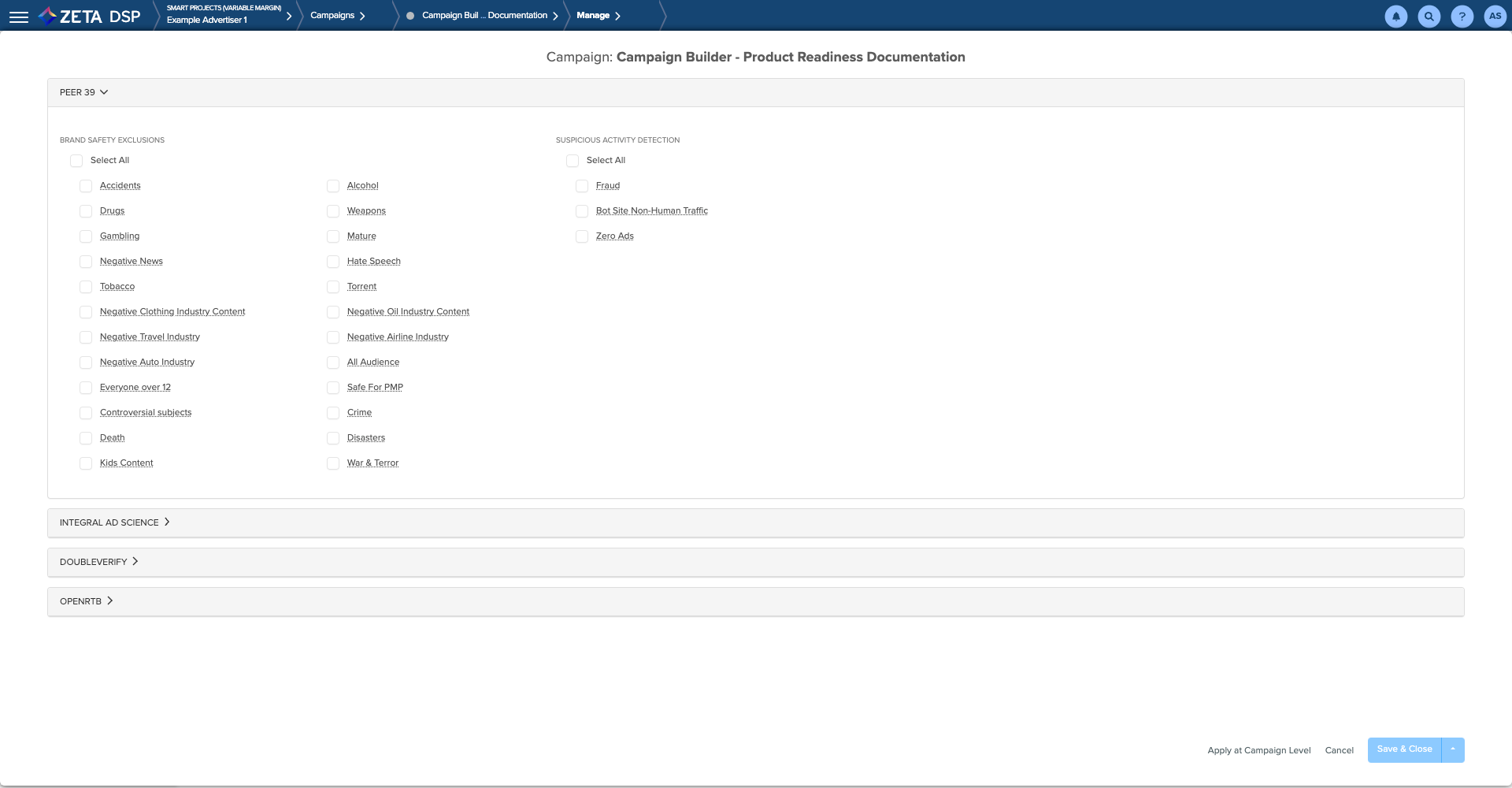
On the Peer 39 Brand Safety screen, select the categories to exclude and then click on Save & Close.
-
The AI does not bid on any Ad placement opportunities that feature excluded categories.
-
If you need to delete all existing Brand Safety targeting, click on Remove.
-
Enable Peer39's suspicious activity detection to exclude Fraud, Bot Site Non-Human Traffic, and Zero Ads sites.
Integral Ad Science
IAS Traffic Quality restrictions apply to Desktop, Mobile Web, and Mobile App delivery channels.
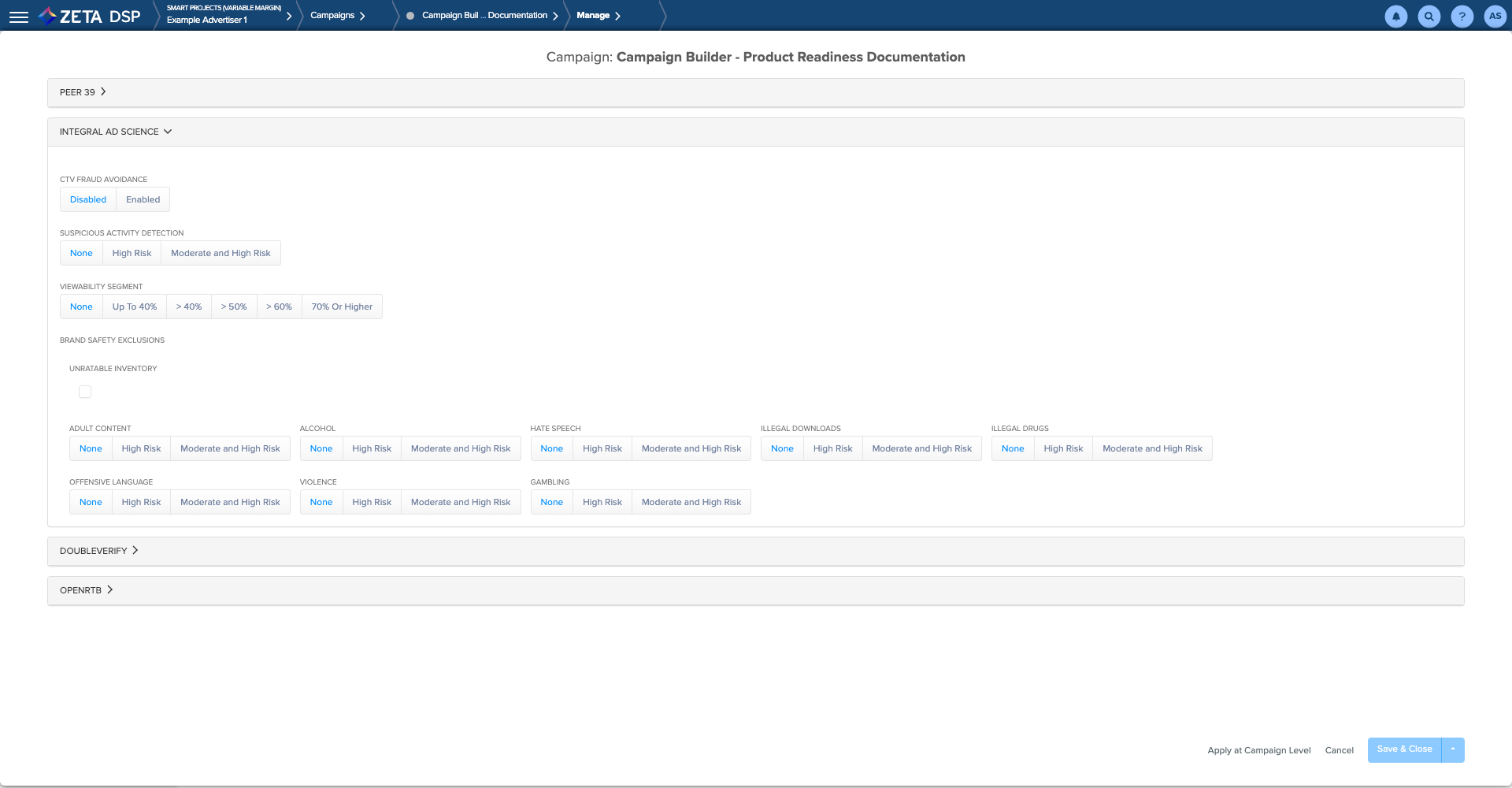
When you activate IAS exclusions, the following sequence occurs:
-
The platform submits the choices you make here to IAS.
-
Before the AI bids to place your ad, it checks with IAS for approval.
-
If IAS approves the context, the AI sends the ad to the exchange, which sends it to the site for display. The advertiser is charged for the ad plus a data cost.
-
If IAS does not approve the ad, the AI does not bid and does not charge for the ad or a data cost.
-
You may contract with IAS to have them send you a periodic report detailing the above activity.
Although excluding unrelatable inventory helps to ensure your ad does not appear in an unfavorable context, it also reduces the supply of ad opportunities and tends to increase cost.
DoubleVerify
Enable Fraud and Invalid Traffic Exclusion to block your campaign from serving ads on any sites designated as fraudulent by DoubleVerify.
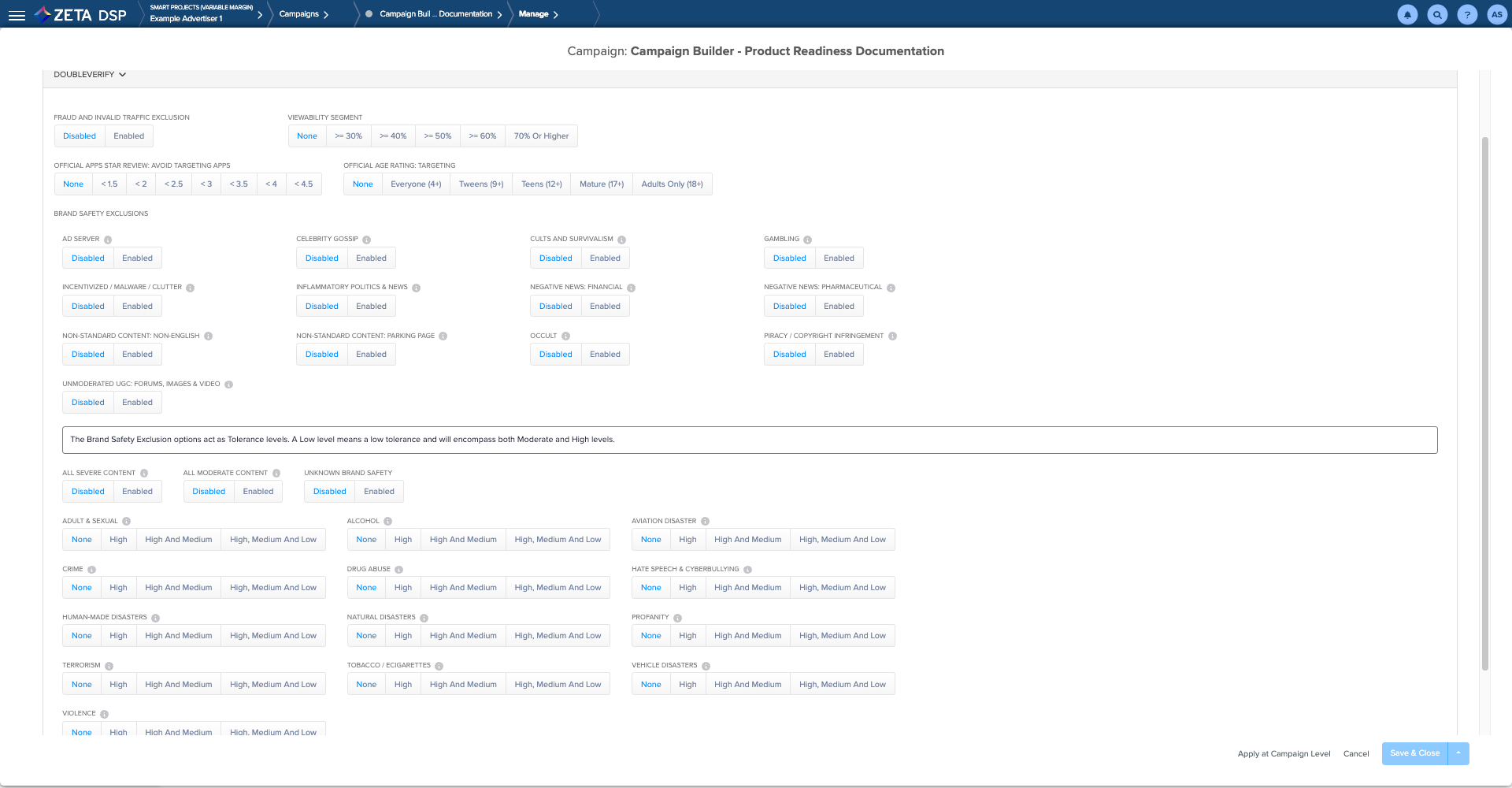
If you intend to exclude Medium Severity Content, you likely want to also exclude High Severity content as well. Ensure you select both checkboxes.
Open RTB
-
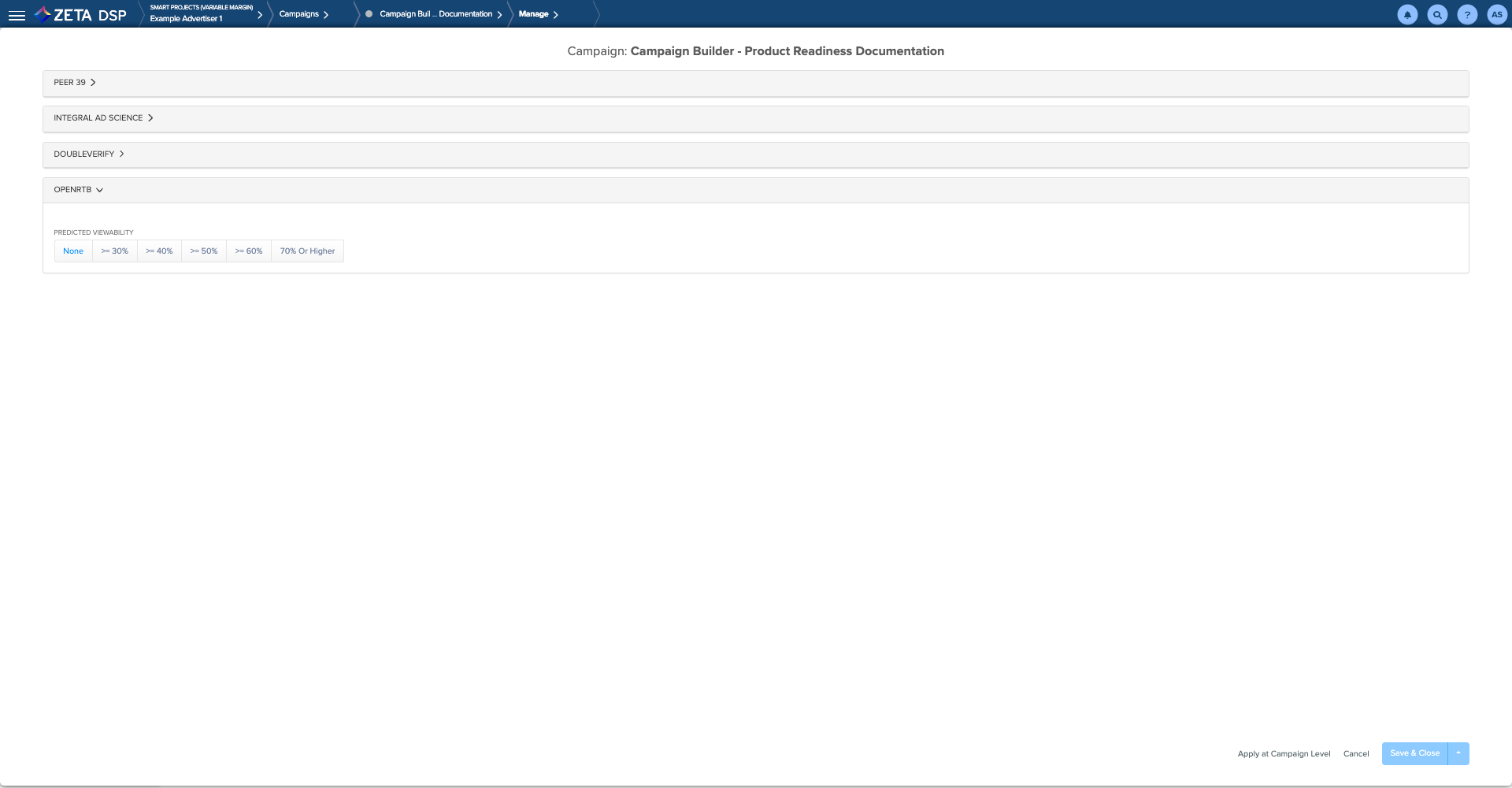
Based on Viewability scores passed from Inventory Suppliers via Bidstream
-
Largest SCALE of all Vendors
-
Free of Charge
-
Higher Accuracy for Post-Bid Performance
4. Click on Save & Close when complete.
